A USB-C charger will run your laptop at full speed if two things are true. The laptop has to accept power over USB-C with USB Power Delivery, and the charger has to supply at least the wattage the laptop maker recommends. Get both right and most USB-C laptops will charge from it, though PCMag warns that some makers limit charging to approved chargers, so try a spare at home before you rely on it. Get the wattage wrong and you can end up with slow charging, a warning at startup, or a battery that drains while plugged in.
The wattage usually lands in one of three tiers, and these chargers cover them:
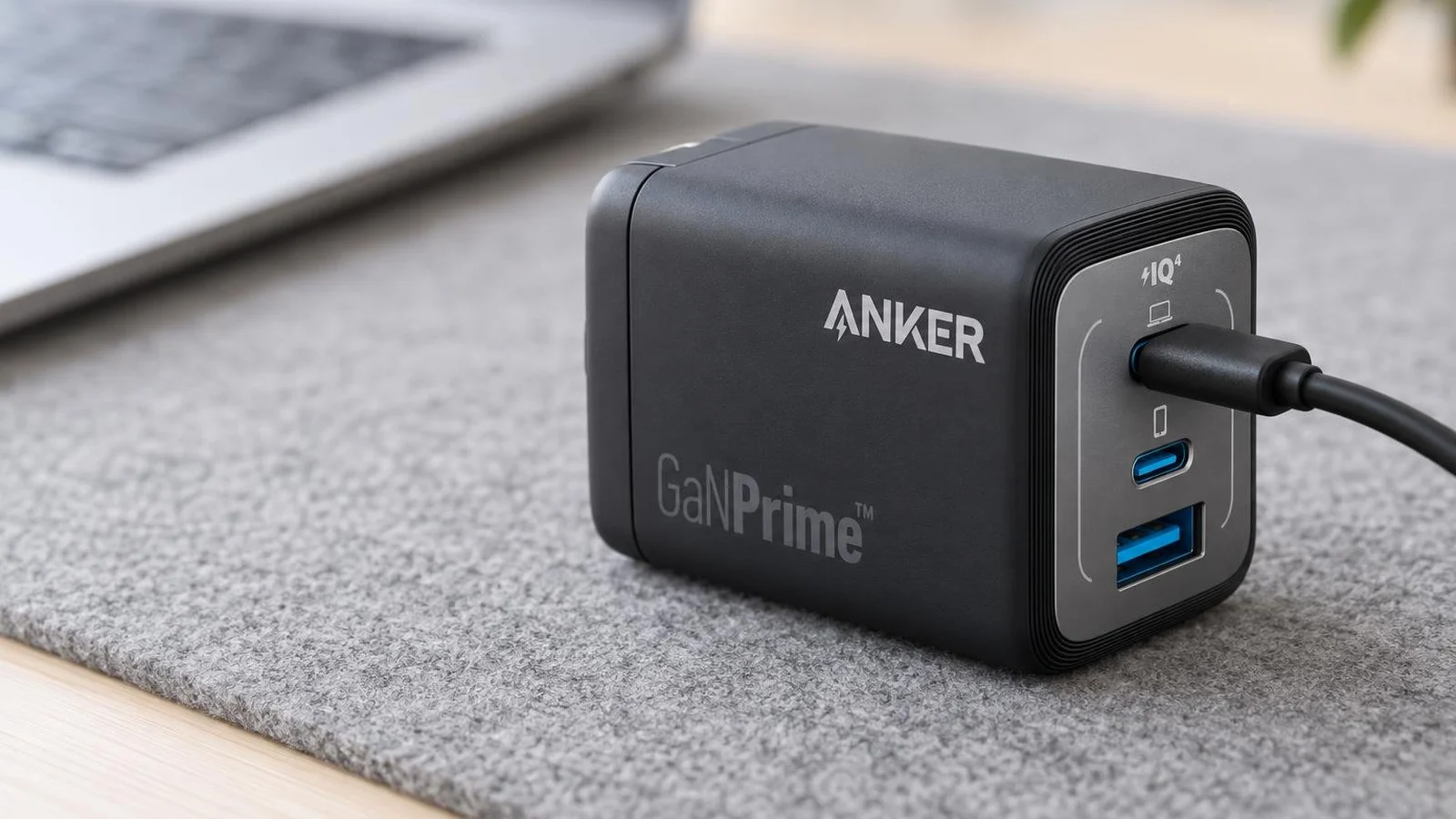
- Anker Prime 67W GaN Wall Charger (3 Ports) for laptops in the 45W to 65W range HP lists for ultrabooks, including the Surface Laptop 13-inch and 7th and 8th Edition models and the MacBook Air.
- Anker Prime Charger (100W, 3 Ports) for laptops that want 90W to 100W, such as a 14-inch MacBook Pro.
- UGREEN Nexode Pro 160W 5-Port for laptops that charge at 140W, which needs USB PD 3.1.
This guide is AI-generated from Microsoft, Apple, Dell, HP, Framework, Anker and UGREEN documentation, ChargerLAB's measurements and the PCMag, Macworld and Tom's Hardware guides. GearExplained did not test these chargers. The product cards at the end link to Amazon, and GearExplained may earn a commission. That does not decide which chargers appear here.
Check that your laptop charges over USB-C
A USB-C port is not proof. PCMag's USB-C charging explainer notes that many laptops with USB-C ports do not recharge through them, and that gaming laptops and others with powerful graphics usually do not charge over USB-C. Its quick test: if the laptop's own adapter ends in a USB-C plug, the answer is yes. Some laptops mark the charging port with a small battery icon. Otherwise, check the manual or the maker's spec page for "USB Power Delivery" or "charging" next to the port.
Some laptops do both. Microsoft's Surface Laptops from the 3 through the 8th Edition can charge from the Surface Connect port or USB-C, according to Microsoft's Surface Laptop charging table. Microsoft also says a Surface cannot charge from both at once; with both connected, it charges only from Surface Connect.
Find the wattage your laptop wants
Start with the adapter that came with the laptop. HP's charging guide points to the wattage printed on the adapter's label, which for most HP laptops is 45W, 65W, 90W or higher. On a Mac, hold Option and choose Apple menu, System Information, then Power, which Apple says lists the connected adapter's wattage. Some makers publish a table. Microsoft's is the clearest, with a minimum and a separate figure for fast charging:
| Laptop | What the maker asks for | Charger tier |
|---|---|---|
| Surface Laptop 13-inch, 1st and 2nd Edition | 45W minimum, 60W for fast charging | 67W |
| Surface Laptop 13.8-inch, 7th and 8th Edition | 39W minimum, 60W for fast charging | 67W |
| Surface Laptop 15-inch, 7th and 8th Edition | 45W minimum, 60W for fast charging | 67W |
| Surface Laptop Ultra | 115W minimum for fast charging, 140W recommended; Microsoft's adapter is 28V 5A | 140W, USB PD 3.1 |
| MacBook Air, 2022 or later | 30W to 70W adapters recommended; fast charging with 70W or more, or 67W on 13.6-inch models | 67W or 100W |
| 14-inch MacBook Pro | Fast charging with a 96W or higher USB PD source | 100W |
| 16-inch MacBook Pro, 2021 or later | Fast charging with 140W or higher | 140W, USB PD 3.1 |
| Framework Laptop 16 | Framework's own adapter is 180W; supports 240W USB PD 3.1 adapters | Above these picks |
Sources: Microsoft's Surface Laptop charging table, Apple's Mac power adapter page, fast-charge page and MacBook Pro specs, and Framework's 180W adapter post, checked October 21, 2026.
More watts is fine. Fewer watts is where trouble starts. Apple says a USB-C Mac charges from any USB-C adapter, even one above or below the recommended wattage. Microsoft says a lower-wattage charger may charge a Surface slowly or not at all, and without fast charging. Below 60W, a drained Surface has to reach 10% before it turns on. Dell says some of its laptops show a startup warning when a dock or dongle between the adapter and the laptop leaves less power than the adapter they shipped with. Dell's support article quotes one: "A 57W AC power adapter has been detected, which is less than the recommended 65W adapter originally shipped." The system then adjusts its performance to the power available.
100W is a ceiling for most chargers. HP's guide gives the limits: USB PD 2.0 and 3.0 reach 100W at 20V and 5A, and USB PD 3.1 reaches 240W at 48V and 5A. ChargerLAB's 16-inch MacBook Pro test shows why that matters. Most third-party chargers ran at 20V. Chargers that support PD 3.1 were the ones that reached 28V and more than 126W. PCMag adds that powerful laptops that want more than 100W may drain their battery under load on a smaller USB-C charger.
The cable has to keep up. Anker recommends an e-marked cable for 100W from its chargers. Above 100W the cable also has to support PD 3.1's higher voltages; Framework says a cable that does not limits the laptop to 20V at 3A or 5A.
Docks take a cut. Dell says a dock or hub between the adapter and the laptop uses some of the power itself, which is how a 65W adapter can show up as the "57W" in that warning. If you power the laptop through a dock, size the charger for the dock and the laptop together.
| Charger | Ports | One USB-C port alone | With other ports in use | USB PD 3.1 |
|---|---|---|---|---|
| Anker Prime 67W, A2669 | 2 USB-C, 1 USB-A | 67W | 65W total for two ports, 64.5W for three | Not listed |
| Anker Prime 100W, A2688 | 2 USB-C, 1 USB-A | 100W | 100W total for two ports, 89W for three | Not listed |
| UGREEN Nexode Pro 160W 5-Port | 4 USB-C, 1 USB-A | 140W from C1 or C2 | 160W total | Not named by UGREEN; its 140W port rating needs it |
1. Anker Prime 67W GaN Wall Charger (3 Ports): for 45W to 65W laptops
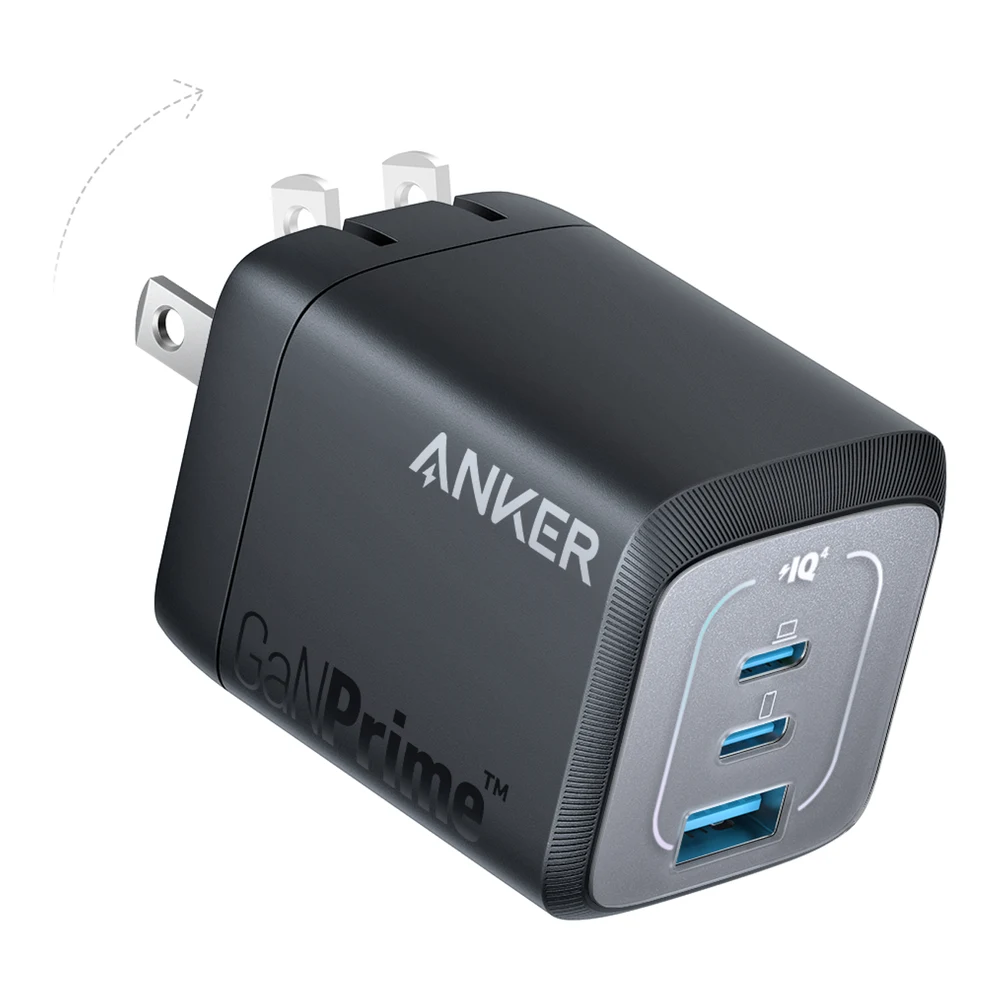
This is the tier HP lists for ultrabooks, and this charger covers it with room for a phone. Anker's product page lists up to 67W from either USB-C port on its own, at 20V 3.35A. That clears the 60W Microsoft recommends for fast charging the Surface Laptop 13-inch and the 7th and 8th Edition models, and the top of the 45W to 65W range HP lists for ultrabooks. Macworld's MacBook charger guide calls it the smallest multiport USB-C wall charger and recommends it for the MacBook Air. Anker lists 1.57 by 1.52 by 1.98 inches and 4.78 ounces, and Macworld confirms the US plug folds.
Sharing costs you some wattage. Anker lists 65W in total with two ports in use and 64.5W with all three. Macworld gives examples: 45W to a laptop and 20W to a phone across the two USB-C ports, or 40W to a laptop with a phone on the USB-A port. A 60W laptop gets its full 60W on its own and can get less once a phone is attached. Anker also notes it does not support MagSafe charging on M2 MacBooks and recommends a standard USB-C to USB-C cable.
2. Anker Prime Charger (100W, 3 Ports): for 90W to 100W laptops
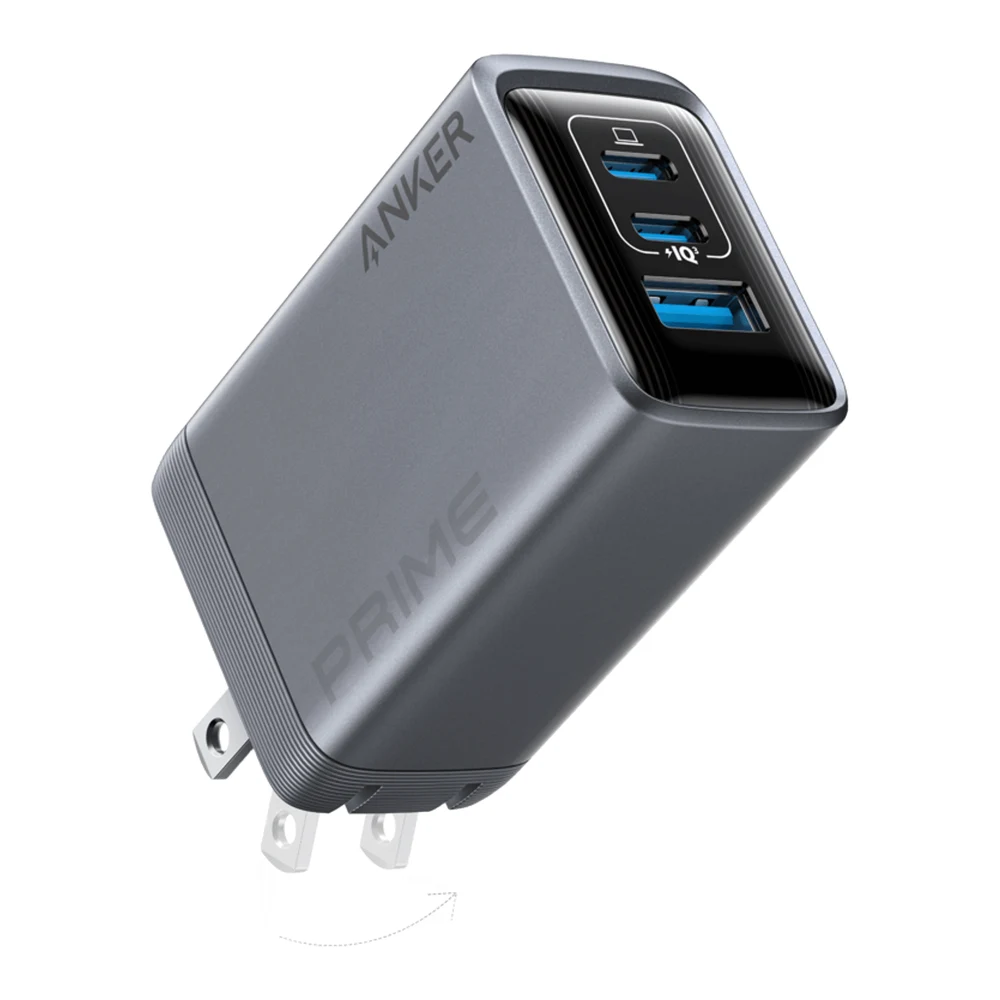
When a laptop shipped with a 90W or 96W adapter, or you want one charger that can take whatever laptop you plug into it up to the USB PD 3.0 limit, this is the step up. Anker's product page lists 100W from either USB-C port alone, at 20V 5A, in a body of 1.7 by 1.1 by 2.7 inches and 6 ounces without the prongs. Macworld recommends it for the 14-inch MacBook Pro, which Apple fast charges from a 96W or higher source.
Anker lists 100W in total with two ports in use and 89W with three, and says to put the laptop on the upper USB-C port. Use an e-marked 100W cable, which Anker recommends and does not include. Get Model A2688; Anker's older Prime 100W is the A2343. Anker lists no step above 20V, so it stays a 100W charger even on a laptop that can take more.
3. UGREEN Nexode Pro 160W 5-Port: for 140W laptops
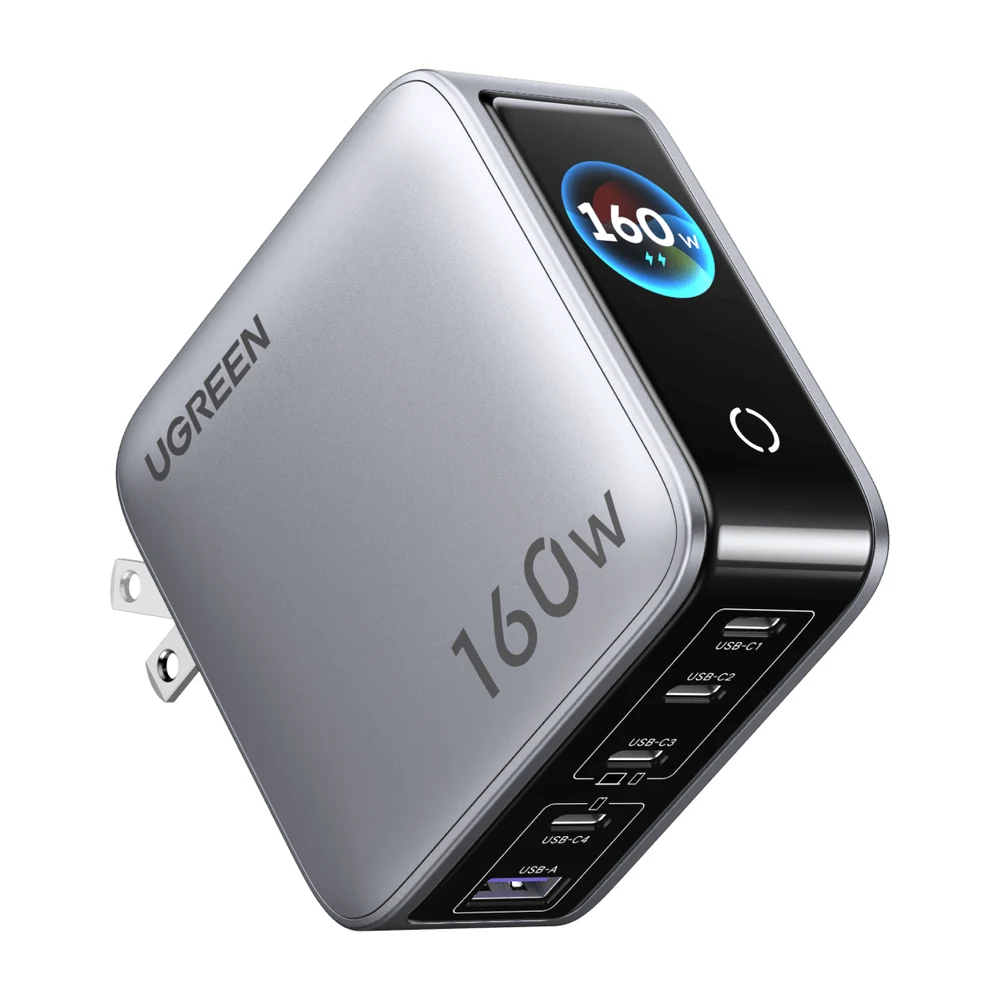
A few laptops charge at 140W over USB-C: Microsoft recommends 140W for the Surface Laptop Ultra, and Apple lists 140W for fast charging the 16-inch MacBook Pro. Both need USB PD 3.1's 28V step. UGREEN's US product page says either C1 or C2 can supply up to 140W on its own, with 160W across four USB-C ports and one USB-A port. It describes the charger as suited to gaming laptops and large-screen notebooks. UGREEN claims it takes a 16-inch MacBook Pro with M4 Max to 56% in 30 minutes. That is UGREEN's figure; we found no independent laptop test of this exact model.
A rotating touch display shows total output, per-port power, the active charging protocol and temperature, which helps when you are trying to see what a laptop actually draws. UGREEN lists a foldable US plug and a two-year warranty, but no dimensions on its US page. Pair it with a 240W-rated USB-C cable for the 140W ports. Tom's Hardware, which tested 20 chargers for its charger guide, found that every 100W-plus charger it tested throttled under sustained load. It did not test this model, but expect any high-wattage charger to step down during long sessions.
It is not enough for the Framework Laptop 16, whose Framework adapter is 180W. Framework says that laptop supports 240W USB PD 3.1 adapters, and that with its graphics module under sustained heavy load it can draw from the battery even on the 180W adapter.
Which USB-C charger to buy for a laptop
If your laptop came with a 45W to 65W adapter, or Microsoft lists 60W for fast charging it, buy the Anker Prime 67W. It is enough for one laptop at full speed, and it charges a phone too when the laptop does not need every watt.
If your laptop came with a 90W to 100W adapter, or it is a 14-inch MacBook Pro, buy the Anker Prime 100W, Model A2688, with an e-marked 100W cable.
If your laptop asks for 140W, as the Surface Laptop Ultra and 16-inch MacBook Pro do, buy a USB PD 3.1 charger such as the UGREEN Nexode Pro 160W 5-Port and a 240W cable. If your laptop's own charger is a barrel plug, check the maker's documentation before buying any USB-C charger for it.
Sources
- Microsoft, Surface charging requirements for Surface Laptop and USB-C and Fast Charging for Surface
- Apple, Use a power adapter with your Mac, Fast charge your MacBook Air or MacBook Pro and MacBook Pro tech specs
- Dell, Undersized power adapter error
- HP, How to choose the right charging cord for your HP laptop
- Framework, Framework Laptop 16 180W power adapter
- PCMag, How to charge your laptop with USB-C
- ChargerLAB, 16-inch MacBook Pro M4 Pro compatibility test
- Macworld, The best USB-C charger for your MacBook Pro, Air or Neo
- Tom's Hardware, Best USB Chargers 2026
- Anker, Anker Prime 67W GaN Wall Charger (3 Ports) and Anker Prime Charger (100W, 3 Ports, GaN)
- UGREEN, Nexode Pro 160W 5-Port USB-C Charger
All sources were checked on October 21, 2026.