For a face camera in the corner of a stream, frame rate matters more than 4K. PC Gamer's webcam guide points out that a 4K picture shrunk to a small corner of the screen is likely to lose the extra resolution, and Tom's Hardware's Facecam MK.2 review frames 1080p at 60fps as the main reason to pick that camera over cheaper 1080p30 models. Every camera below does 1080p60.
What the ranking lists rarely spell out is the condition attached to that 60fps: which video format the camera sends, which USB port it needs, and what happens when you switch on HDR. Those decide whether you get the number on the box. Pick by your setup:
- Elgato Facecam MK.2, for a seated facecam on a PC with a free USB 3.0 port. It sends uncompressed 1080p60 and stores its settings in the camera.
- Elgato Facecam Neo, the budget pick. It sends compressed video, so it reaches 1080p60 on any USB port, but HDR halves its frame rate.
- YoloLiv YoloCam S3, for the best picture if you also record at 4K and will adjust settings. It needs a USB 3.0 port to work at all.
- Emeet Pixy, if you stand up or move around. A motorized gimbal turns the camera to follow you.
This guide is AI-generated from Elgato, YoloLiv and Emeet documentation and from hands-on testing by Tom's Hardware and PC Gamer, credited where used. GearExplained did not test these webcams. The product cards at the end link to Amazon, and GearExplained may earn a commission. That does not decide which products appear here.
What the spec sheet terms mean for a stream
Uncompressed or MJPEG. A webcam either sends raw frames or compresses them inside the camera, usually as MJPEG. Raw frames skip a compression step but need far more bandwidth. In YUY2, the common uncompressed format, every pixel takes 16 bits, according to Microsoft's YUV format reference. At 1920 by 1080 and 60 frames a second, that works out to about 2 Gb/s. USB 2.0 runs at 480 Mb/s, per the USB Implementers Forum. So uncompressed 1080p60 needs a USB 3.0 port, and a camera on a USB 2.0 port has to compress.
USB 3.0 required or recommended. Cameras handle a slower port differently. The Facecam MK.2 keeps working on USB 2.0 and switches to MJPEG. Tom's Hardware found the YoloCam S3 needs a USB 3.0 port to function at all. Elgato's quick start guide also says to plug the camera directly into the computer, not into a USB hub.
HDR. Tom's Hardware describes webcam HDR as combining several exposures of the same shot, for an evenly lit picture that shows detail in both dark and light areas. On the Facecam Neo it costs half the frame rate: PC Gamer and Tom's Hardware both found HDR drops it from 60fps to 30fps.
Settings stored in the camera. Both Elgato cameras save settings made in Camera Hub to the camera itself, so exposure and white balance hold in OBS or on another computer. Not every maker gets this right. Tom's Hardware found Razer's software saved settings to the Kiyo Pro Ultra only about half the time, which meant switching back and forth between apps.
The four cameras by mode, format and port
| Camera | Top modes | Uncompressed video | HDR | USB port | Settings kept in camera |
|---|---|---|---|---|---|
| Elgato Facecam MK.2 | 1080p60, 720p120 | All modes on USB 3.0. MJPEG on USB 2.0. | Up to 1080p30 per Elgato's product page; 1080p60 per its quick start guide | USB 3.0 for uncompressed, works on USB 2.0 | Yes, flash memory |
| Elgato Facecam Neo | 1080p60 | None. MJPEG only. | Drops to 30fps, per PC Gamer and Tom's Hardware | USB 2.0 or later | Yes, per Tom's Hardware and PC Gamer |
| YoloLiv YoloCam S3 | 4K30, 1080p60 | YUY2 at 1080p and 720p. NV12 at up to 4K30. | Listed, frame rate not stated | USB 3.0 required, per Tom's Hardware | Not stated |
| Emeet Pixy | 4K30, 1080p60 | YUY2 listed, modes not stated | Not stated in Emeet's spec table | USB 2.0 listed by Emeet | Not stated |
Sources: Elgato's Facecam MK.2 specifications, product page and quick start guide, Elgato's Facecam Neo specifications, YoloLiv's YoloCam S3 specifications, Emeet's Pixy support page, and the Tom's Hardware and PC Gamer reviews linked below, checked October 27, 2026.
Two cells need a note. Elgato's comparison table lists NV12 as an uncompressed format alongside YUY2, which is why the YoloCam S3's 4K30 counts as uncompressed even though YoloLiv lists YUY2 only at 1080p and 720p. And Emeet does not say which Pixy modes use YUY2, but by the arithmetic above, its 1080p60 and 4K modes cannot be uncompressed on the USB 2.0 port Emeet lists as enough.
1. Elgato Facecam MK.2: uncompressed 1080p60 for a seated stream
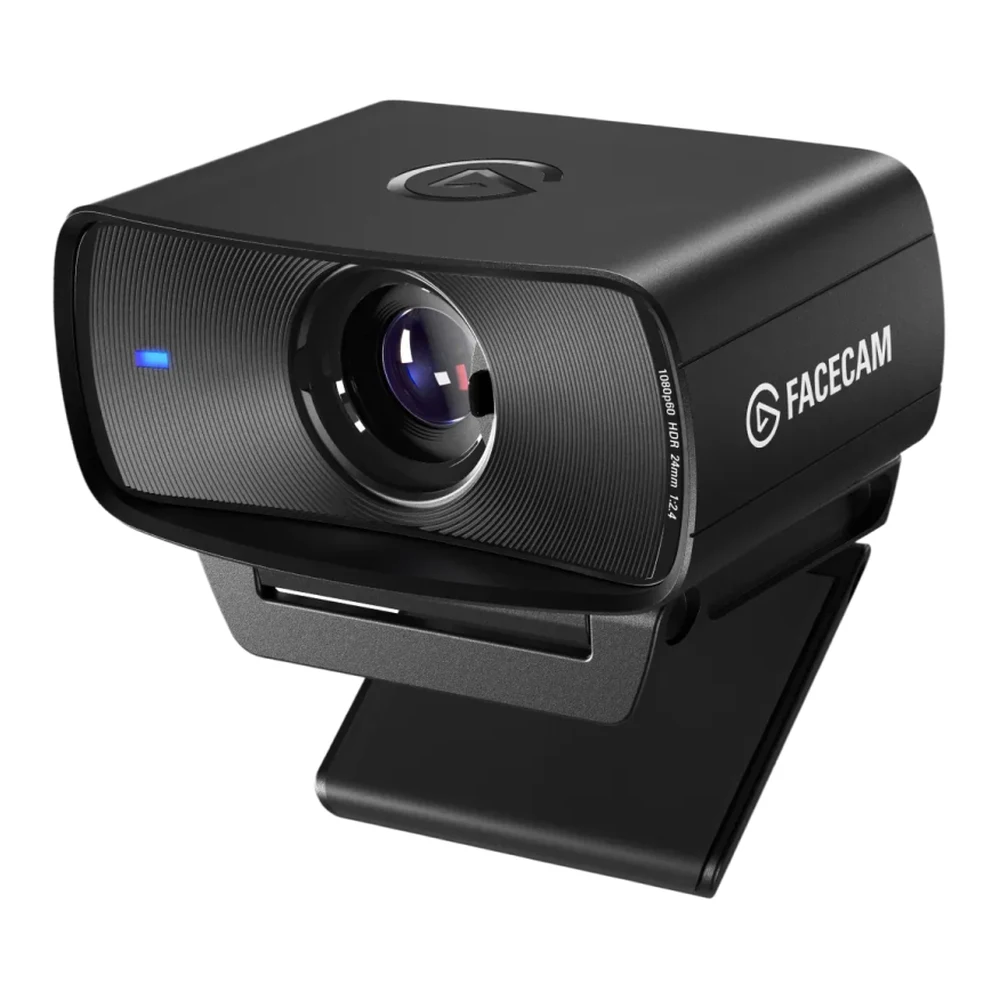
This is the camera for someone who sits at a desk, streams at 60fps and wants the image to look the same every time OBS opens. Elgato's specifications list 1080p at 60 or 30fps and 720p and 540p at up to 120fps, all uncompressed when connected by USB 3.0, otherwise MJPEG. The sensor is a 1/2.5-inch Sony Starvis behind a fixed-focus f/2.4 lens with an 84-degree field of view.
Fixed focus suits a seated streamer. Elgato gives a focus range of 30 to 120 cm, so there is no autofocus to hunt when you lean in, but anything you hold closer than 30 cm stays soft.
Elgato's Camera Hub app sets shutter speed and ISO directly, and Elgato's product page says the camera's flash memory keeps those settings after a restart or a move to another computer. Tom's Hardware also found that with Camera Hub's preview turned off, the app can adjust settings while another app is using the camera. Elgato's AI effects, such as background replacement and face tracking, need an NVIDIA RTX graphics card.
Tom's Hardware's April 2024 review called it a well-priced option for uncompressed 1080p60, with some reservations about the picture. With noise reduction off, the image was noisy even in good light. HDR showed more dimension in darker areas but made the picture noisier and fuzzier, and the reviewer mostly preferred it off. In a backlit scene the camera left the subject underlit. It did well in a dark room lit by a single monitor. If you do not need 60fps, Tom's Hardware found the MK.2's picture mostly on par with, and in some situations below, Logitech's 1080p30 Brio 500.
Elgato contradicts itself on HDR. Its product page lists HDR up to 1080p30, while its quick start guide lists both SDR and HDR at 1080p60. Assume 30fps with HDR on until you see otherwise in Camera Hub.
There is no microphone. The privacy shutter slides across the lens, and the mount unscrews to expose a standard 1/4-inch tripod thread.
2. Elgato Facecam Neo: 1080p60 on any USB port
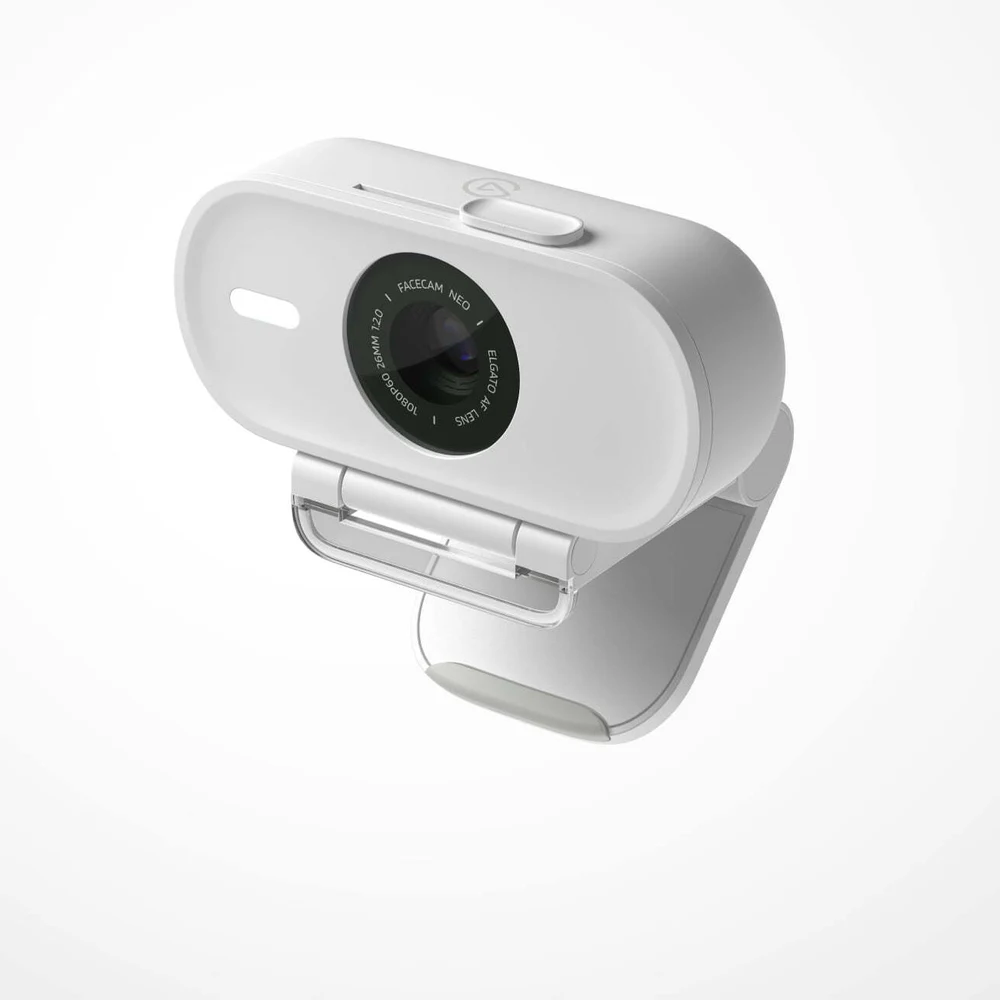
The Facecam Neo is the budget pick in both PC Gamer's and Tom's Hardware's guides, and Elgato attaches no port condition to its frame rate. Elgato's specifications list every mode, from 1080p60 down to 540p30, as MJPG, and ask only for USB 2.0 or later. The braided USB-C cable is fixed to the camera. A USB-A port needs an adapter, which Elgato does not include.
That makes it the safe choice for an older PC or a laptop with only USB 2.0 ports left. PC Gamer's review found it worked straight away on several PCs, a laptop and an iPad, where it ran in FaceTime.
The catches are HDR and focus. PC Gamer and Tom's Hardware both found HDR drops it to 30fps. PC Gamer found HDR helped a lot with a bright window behind the camera, but at a well-lit desk it made no visible difference and made the autofocus sluggish, sometimes stuck on a blur. The autofocus is not particularly snappy in general, PC Gamer said, though it usually settles within a few seconds. Camera Hub can switch it to fixed focus.
Tom's Hardware's November 2025 review found settings such as manual white balance and HDR save to the camera, so they hold in apps where Camera Hub is not installed. It also found the low-light image grainy but well balanced, and the fixed cable stiff enough to knock the light camera out of alignment. There is no microphone, and the sensor is a smaller 1/2.9-inch part than the MK.2's.
3. YoloLiv YoloCam S3: the best picture, on USB 3.0 only
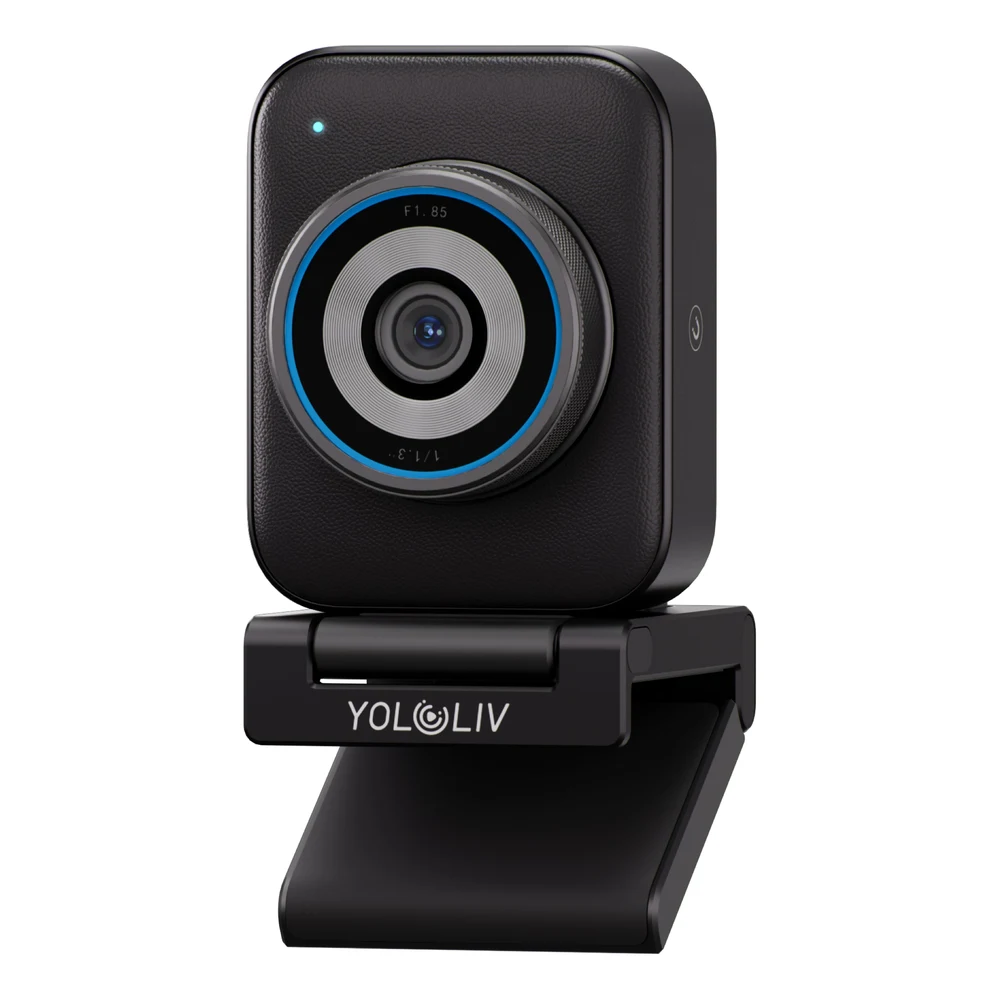
If picture quality comes first and you also record at 4K, the YoloCam S3 is the pick here. Its 1/1.28-inch sensor is the largest in this group, behind an f/1.85 lens with phase-detection autofocus. Tom's Hardware's March 2026 review rated its image excellent and on par with the Razer Kiyo Pro Ultra, and PC Gamer's April 2026 review called the image near-DSLR quality. Both publications also make it their 4K pick.
YoloLiv's specifications list 4K at 30 or 25fps in MJPEG, H.264 or NV12, and 1080p and 720p at up to 60fps in those formats plus YUY2. Tom's Hardware's best-webcam list files it under a 4K/60fps heading, but YoloLiv's own maximum is 4K30, and Tom's Hardware's review says the same.
The port is the hard limit. Tom's Hardware found the camera needs a USB 3.0 port to work at all, and YoloLiv's version history shows firmware 1.0.0 added a USB 2.0 connection alert. Check that you have a USB 3.0 port free before buying.
Expect to adjust it. Both reviewers found the default image high in contrast. Tom's Hardware saw blown-out highlights on the face in low light, and PC Gamer recommends setting white balance yourself and turning off vignette correction. YoloLiv's Compose app runs on Windows and on Mac for Intel and Apple silicon, and Tom's Hardware found it covers exposure, white balance, focus modes and live color grading. YoloLiv's version history lists a virtual camera for Compose 1.1.2 on Windows only, with Mac listed as next. Neither YoloLiv nor the reviewers say whether the camera stores those settings itself.
It also leaves things out. There is no microphone and no privacy shutter. Tom's Hardware found the camera has no tripod thread of its own: magnets hold it to an aluminum L-shaped mount, in landscape or portrait, and the 1/4-inch thread is on the mount.
4. Emeet Pixy: a camera that follows you
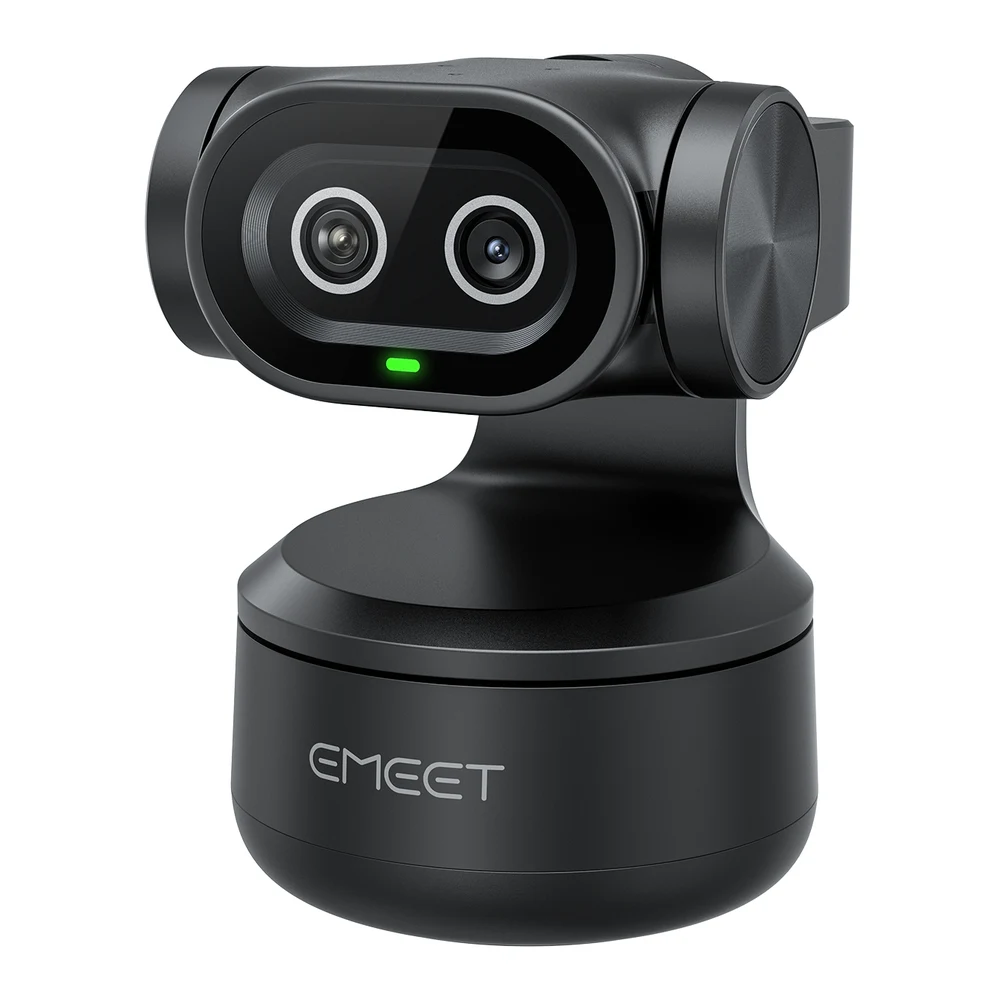
For streams where you stand, cook, work out or walk around, a fixed camera leaves you out of frame. The Pixy sits on a two-axis gimbal that Emeet's support page says pans 310 degrees and tilts 180 degrees. A second, AI-assisted camera beside the imaging lens is there for focus and targeting. PC Gamer, which now makes it the overall pick in its webcam guide, found that raising a hand switched it from a static view to tracking, after which it followed the reviewer around the room. It occasionally locked onto someone else's face in the office, though it was easy to re-center.
Emeet lists 4K at 30fps and 1080p at 30 or 60fps from a 1/2.55-inch Sony sensor, in MJPEG and YUY2, and asks only for a USB 2.0 port. Two limits from the same page: the 1.5x digital zoom is unavailable at 1080p60 and 4K, and the camera does not support Windows on ARM. It runs on Windows 10 and later and macOS 10.14 and later. The core functions work without the Emeet Studio app, but turning off gesture control or changing audio modes needs it.
PC Gamer's August 2025 review found the picture a little more saturated and washed out than Obsbot's Tiny 2 Lite, with overexposed lights but sharper lines and finer detail, and said it would pick the Tiny 2 Lite if it could spend about $20 more. The Pixy's three-microphone array was surprisingly solid for meetings. The camera is bulky: it sits above its mount and made a 16-inch gaming laptop's screen wobble. There is no privacy shutter, so you flick the camera down by hand or set a privacy timeout in the app.
Already covered elsewhere on GearExplained, the Insta360 Link 2 is another gimbal camera, with 4K30 or 1080p60 over a USB 2.0 connection.
Which to choose
If you stream seated at a PC with a free USB 3.0 port, get the Elgato Facecam MK.2. It is the camera here built around uncompressed 1080p60 and settings that stay put.
If you are on a budget, have only USB 2.0 ports free, or also want the camera on an iPad, get the Elgato Facecam Neo, and leave HDR off unless a window is behind you.
If image quality matters more than convenience, and you have a USB 3.0 port and time to adjust settings, get the YoloLiv YoloCam S3.
If you move around on stream, get the Emeet Pixy, and check that your PC is not a Windows on ARM machine.
One camera left out: Tom's Hardware's image-quality pick, the Razer Kiyo Pro Ultra. Tom's Hardware found the YoloCam S3's image on par with it, Razer says it sends uncompressed 4K only at 24fps, and Tom's Hardware's review found its settings software often failed to save changes to the camera. If you stream from a Mac, see webcams for MacBook Pro for what a USB webcam can and cannot do with Apple's video effects.
Sources
- Elgato, Facecam MK.2 technical specifications, system requirements, product page and quick start guide; Facecam Neo technical specifications and product page
- YoloLiv, YoloCam S3 tech specs, YoloCam S3 version history and Compose app download page
- Emeet, Pixy support page
- Razer, Kiyo Pro Ultra product page
- USB Implementers Forum, FAQ; Microsoft, Recommended 8-Bit YUV Formats for Video Rendering
- Tom's Hardware, Best Webcams 2026, updated October 8, 2026, and reviews of the Facecam MK.2 (April 2024), Facecam Neo (November 2025), YoloCam S3 (March 2026) and Razer Kiyo Pro Ultra (May 2023)
- PC Gamer, best webcams, updated August 7, 2026, and reviews of the Facecam Neo (August 2024), YoloCam S3 (April 2026) and Emeet Pixy (August 2025)
All sources were checked on October 27, 2026.