Before buying a webcam for a MacBook Pro, find out which camera the laptop already has. Apple has fitted three different ones. Wirecutter's webcam guide, updated September 17, 2026, says the cameras in recent MacBook Pro models are more than good enough for everyday Zoom calls, though it also found its budget pick gave a better picture than a 2023 MacBook Pro's camera.
The second thing to know is what a USB webcam loses on a Mac laptop. Apple lists Center Stage, Desk View, Portrait mode and Studio Light on a Mac laptop only with its built-in camera or with an iPhone used as a webcam. Apple does not list external webcams for those effects, so with a Logitech or Insta360 camera you rely on the camera maker's software instead.
Three options, depending on what you have and why the built-in camera is not working for you:
- Belkin iPhone Mount with MagSafe for Mac Notebooks, if you have an iPhone 12 or later. It turns the iPhone into the webcam and keeps Apple's video effects.
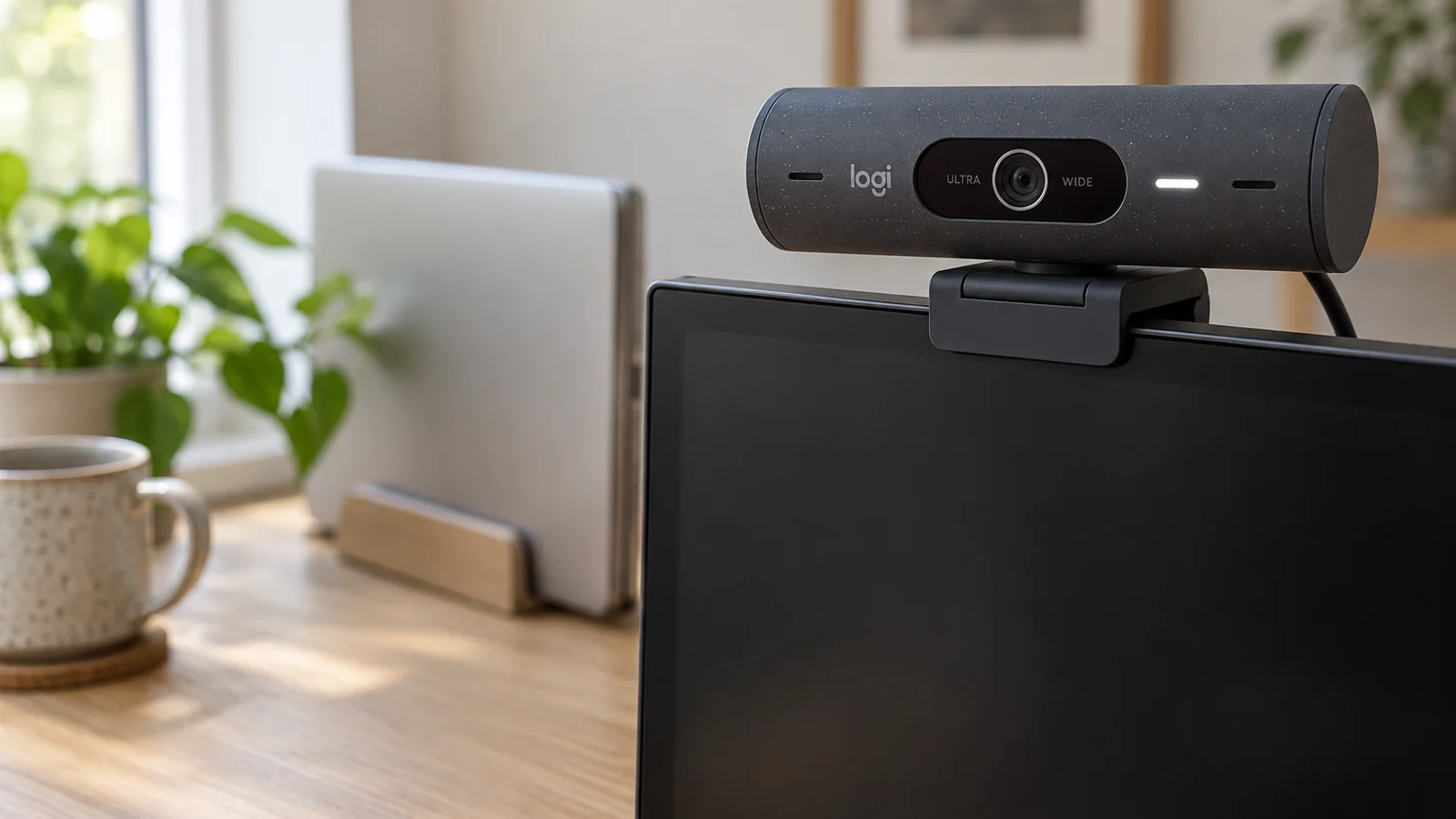
- Logitech Brio 505, for a plain USB-C webcam that sits on an external monitor.
- Insta360 Link 2, if you move around on calls and want a camera that physically turns to follow you.
This guide is AI-generated from Apple, Belkin, Logitech and Insta360 documentation and from Wirecutter's hands-on webcam testing. GearExplained did not test these products. The product cards at the end link to Amazon, and GearExplained may earn a commission. That does not decide which products appear here.
Which camera your MacBook Pro has
Apple's model identification page links each MacBook Pro to its tech specs. The camera line on those pages splits them into three groups.
| MacBook Pro | Built-in camera | Center Stage and Desk View with it | Portrait mode and Studio Light with it |
|---|---|---|---|
| 14-inch and 16-inch, M4 family (2024) and M5 family | 12MP Center Stage camera with Desk View, 1080p video recording | Yes | Yes |
| 14-inch and 16-inch, 2021 to November 2023 (M1 Pro to M3 Max) | 1080p FaceTime HD camera | No | Yes |
| 13-inch, M1 (2020) and M2 (2022) | 720p FaceTime HD camera | No | Yes |
| Intel models, such as the 16-inch (2019) and 13-inch (2020) | 720p FaceTime HD camera | No | No |
Sources: Apple tech specs for the 14-inch M5 Pro or M5 Max, 14-inch M4, 14-inch M3, 14-inch 2021, 13-inch M2, 13-inch M1 and 16-inch 2019, and Apple's pages on Center Stage, Desk View and video effects, checked October 26, 2026.
Apple's Center Stage and Desk View pages list "MacBook Pro introduced in 2024 or later using its built-in camera". Portrait mode needs a Mac laptop with Apple silicon using the built-in camera. Studio Light has the same requirement plus macOS Sonoma or later. That is why the Intel row has neither.
Some older buying guides get this wrong. Digital Trends' Mac webcam list, titled for 2023 and still in Google's top results for this search, says the 2021 14-inch and 16-inch models have a Center Stage camera. Apple's specs for those models list a 1080p FaceTime HD camera, and Apple's Center Stage page starts with the 2024 models.
So, roughly:
- M4 or M5 MacBook Pro. This is Apple's newest camera, with Center Stage and Desk View. An external camera mainly helps when the laptop is closed or off to the side.
- 2021 to 2023 14-inch or 16-inch. It is 1080p without Center Stage. Wirecutter found its budget pick, the Anker PowerConf C200 2K, gave better image quality than a 2023 MacBook Pro's built-in webcam, so an external camera is a real upgrade here.
- 13-inch or Intel. 720p, the weakest of the three. Any of the options below is a step up.
What a USB webcam can and cannot do on a Mac laptop
macOS treats USB webcams as standard cameras. Wirecutter says all the webcams it tested were detected automatically by macOS, Windows and other modern systems. You do not need a driver to get video. The maker's app is for extras such as field of view, framing and firmware updates.
What you give up is Apple's camera processing. Apple's video effects page gives these requirements:
- Center Stage and Desk View: a MacBook Pro from 2024 or later using its built-in camera, or an iPhone through Continuity Camera. An Apple Studio Display's camera also supports Center Stage, and Desk View on the 2026 Studio Display and Studio Display XDR.
- Portrait mode and Studio Light: a Mac laptop with Apple silicon using the built-in camera, or an iPhone through Continuity Camera.
- Reactions, Presenter Overlay and background replacement: an Apple silicon Mac. Apple's wording for these does not limit them to the built-in camera, though it does not name third-party webcams either.
Two smaller Mac details:
- Allow the accessory. On Apple silicon laptops, Apple says a new USB accessory brings up an alert asking you to allow it, and if you click Don't Allow the Mac will not recognize it. Apple's accessory page also covers using the Mac with the lid closed.
- Closed lid means no built-in camera. Apple's external display guide says you can close the lid after connecting a display. The built-in camera is in that lid, so a closed-lid desk setup needs one of the options below no matter which MacBook Pro you have.
1. Belkin iPhone Mount with MagSafe for Mac Notebooks: use the iPhone you have
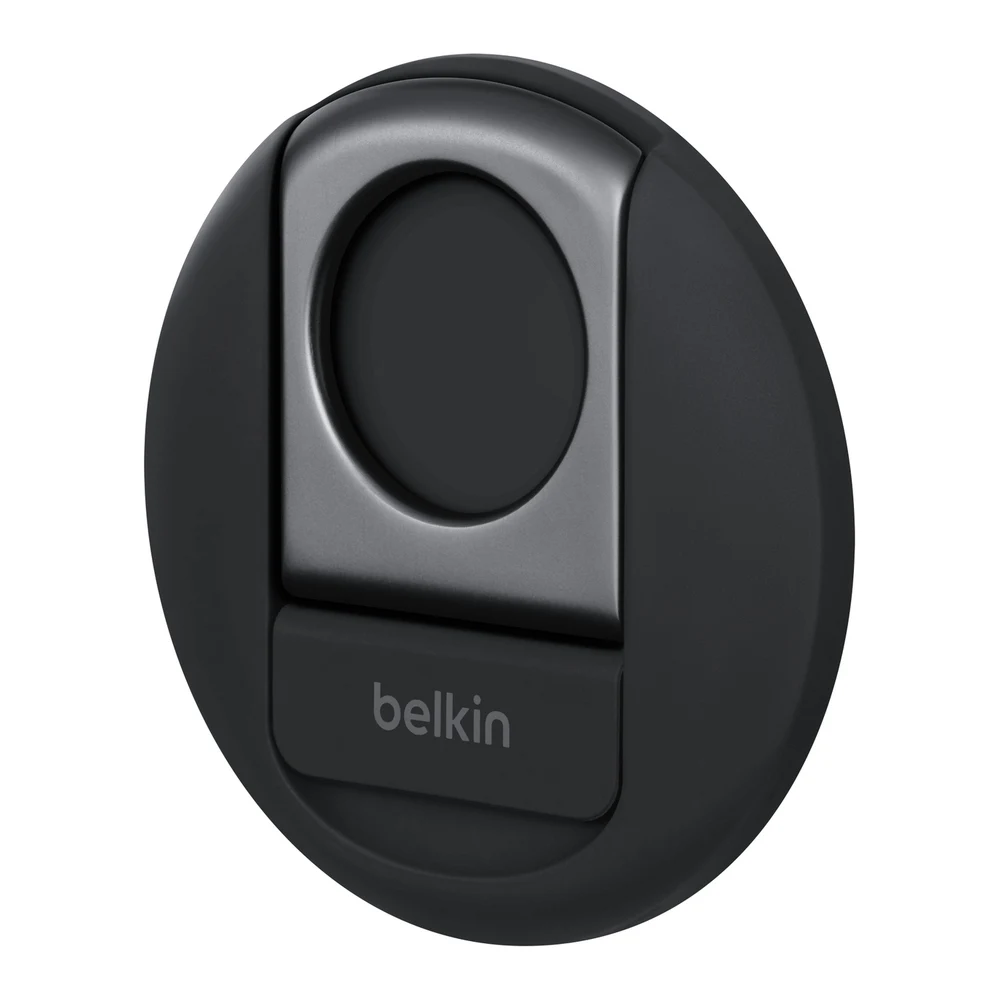
If you have an iPhone 12 or later, this is the only add-on here that keeps Center Stage, Desk View, Portrait mode and Studio Light. Apple's Continuity Camera page says the iPhone's rear camera then appears in FaceTime and other video apps with those effects. It works on any Mac that runs macOS Ventura or later, including the Intel and 13-inch models in the table above, which cannot use the effects with their own cameras.
The Belkin mount, model MMA006, clips over the top of the MacBook's display and holds the iPhone by MagSafe. Apple sells it, and its compatibility list names MacBook Pro models from the 16-inch (2019) and 13-inch (2020) through the M5 Pro and M5 Max as compatible. Belkin's support page says it fits 2017 and newer MacBooks, attaches without adhesive, does not block the MacBook's own camera, and works with MagSafe iPhones and official MagSafe cases. Off the laptop, it doubles as a ring grip and kickstand.
The requirements are Apple's. Continuity Camera needs iOS 16 or later on an iPhone XR or later, macOS Ventura 13 or later, the same Apple Account on both with two-factor authentication, and Bluetooth and Wi-Fi on. It works wirelessly or over a cable, and Apple suggests plugging the iPhone into the Mac or a charger to keep it charged. Desk View needs an iPhone 11 or later and excludes the iPhone 16e and SE models. The mount needs a MagSafe iPhone, and the iPhone models on Apple's compatibility list for it start at the iPhone 12. The iPhone has to be locked and in landscape for apps to choose it automatically, so it is not available for anything else during the call.
This is a laptop-lid mount. If your MacBook Pro is closed on a stand with an external monitor, you need a different stand for the iPhone. Apple's store page also lists a Belkin iPhone mount for Mac desktops.
2. Logitech Brio 505: a plain USB-C webcam
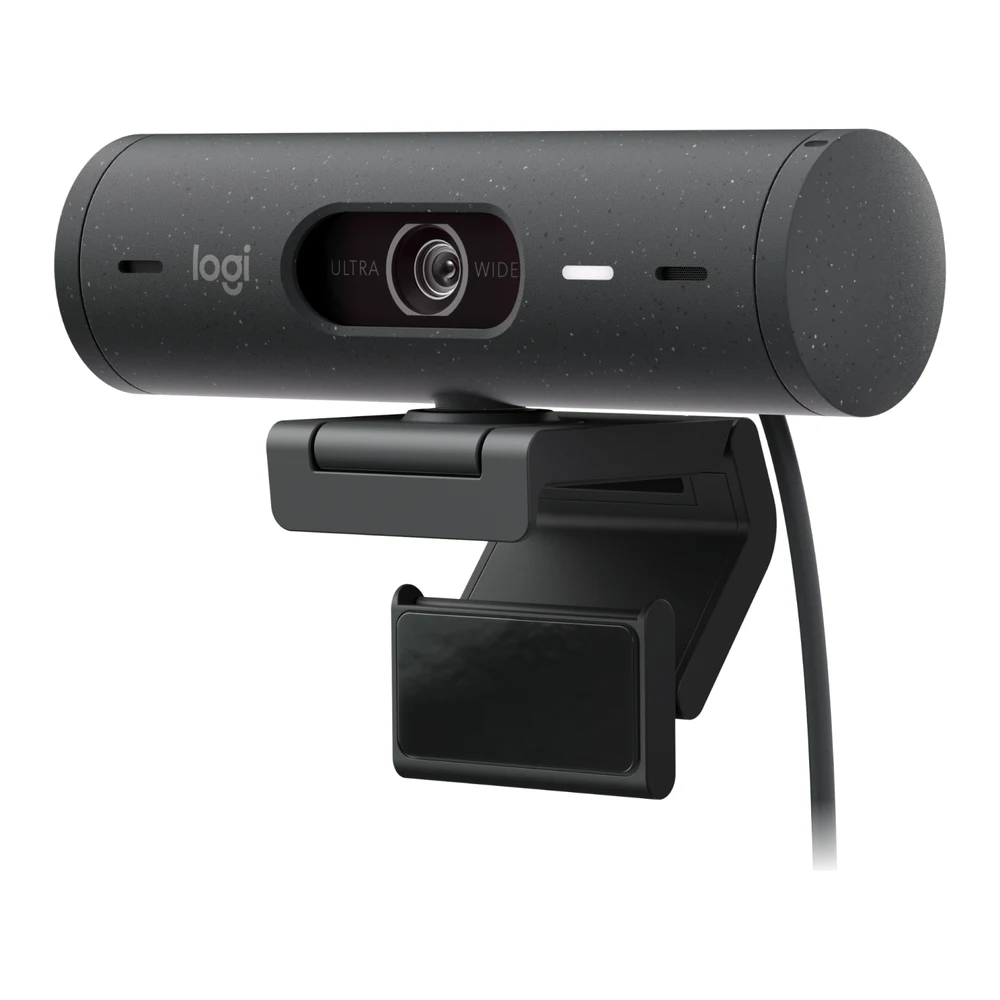
For a webcam that stays on an external monitor and does not tie up your phone, the Brio 505 is Wirecutter's top pick. In its blind comparisons it gave the best skin tones and overall picture of the webcams in its class, including several 4K models, with quick autofocus and accurate exposure and white balance.
For a MacBook Pro, the connection is simple. Logitech's datasheet lists an attached 1.5-meter USB-C cable, 1080p at 30fps or 720p at up to 60fps, macOS support, and a detachable monitor clip with a removable mount adapter. Wirecutter found a tripod mount under the magnetic button that holds the camera to the clip. It plugs into a Thunderbolt port with no adapter. Its privacy shutter is a dial on the side. Logi Tune, Logitech's app, runs on macOS and sets the 65, 78 or 90 degree field of view, zoom, color and manual focus.
The catch on a Mac is auto-framing. Logitech's product page says RightSight auto-framing needs Logi Tune and "is not supported on computers with ARM processors". Apple silicon Macs, which means every MacBook Pro since the 13-inch M1, use ARM processors. Logitech's Brio 500 spec page goes further and says RightSight is currently available only for Windows. Wirecutter reports that the Brio 505's subject tracking worked in Zoom without the software open but does not say which computer it tested on. On a current MacBook Pro, buy it for the picture, not the tracking.
Wirecutter's other caution is the mount. The magnetic button that holds the camera to its clip can come loose, and needs retightening.
If you want to spend less, Wirecutter's budget pick is the Anker PowerConf C200 2K. Note the cable. Anker's setup instructions plug its USB-A end into the computer, so on a MacBook Pro you need a USB-C to USB-A adapter or a USB-C to USB-C cable.
3. Insta360 Link 2: tracking that does not depend on a Mac app
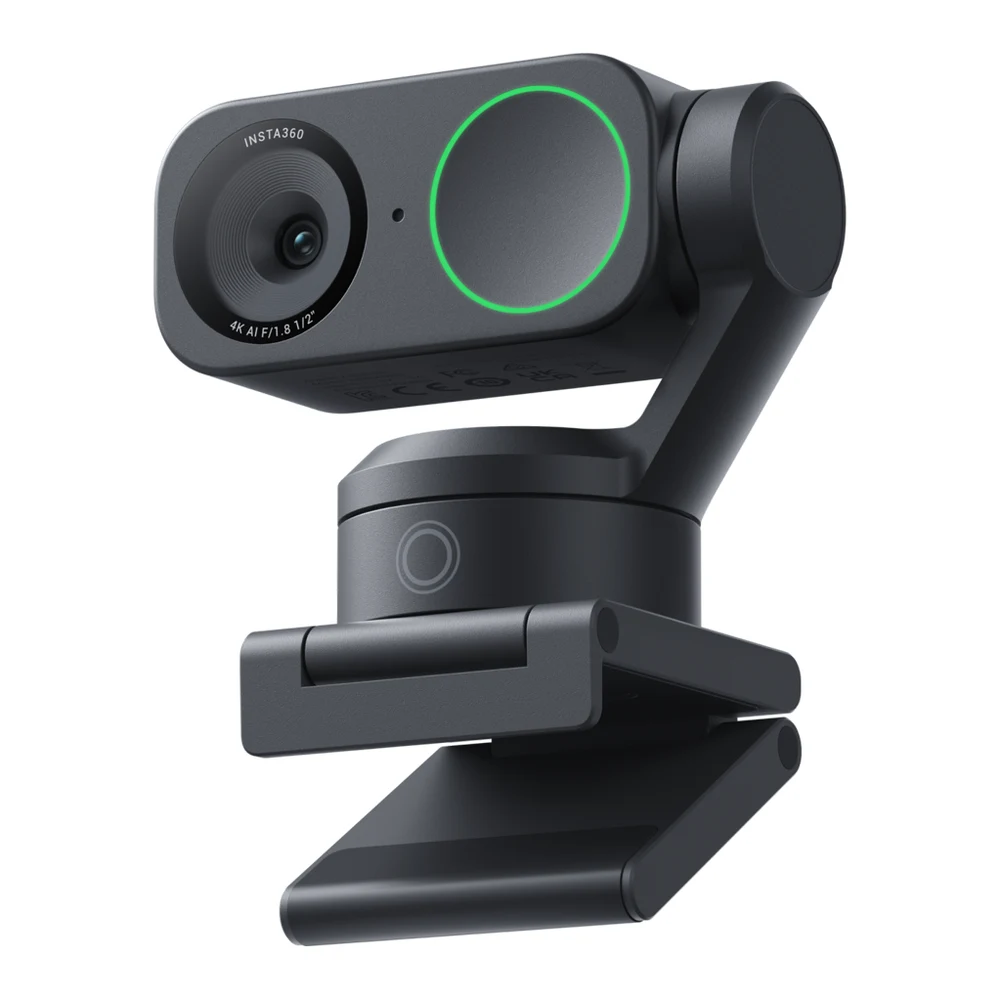
If you stand, pace or teach on calls, the Link 2 does what Center Stage does on a 2024 MacBook Pro, only with a motor. Insta360's product page describes a two-axis gimbal that physically pans and tilts to follow you, with hand gestures to start tracking, zoom and switch to whiteboard mode. It can also tilt down to show your desk, and it flips down into privacy mode after 10 seconds of inactivity.
Because the tracking happens in the camera, it does not wait on Mac software support. Wirecutter, testing the Link 2 Pro, found gestures worked in Zoom moments after starting up, before Insta360's software was installed. Wirecutter says the cheaper Link 2 shares most of the Pro's features and looks excellent in most light, but lacks the Pro's audio upgrades and is not as good in dim light.
Insta360's spec table covers the Mac side. Link Controller runs on macOS 11 or later, its virtual camera needs macOS 13 or later, Natural Bokeh needs an M1 or later Mac, and green screen works up to 4K on Apple silicon and 1080p on Intel. Video goes up to 4K at 30fps or 1080p at 60fps from a 1/2-inch sensor. It connects by USB-C at USB 2.0, with a USB-C to USB-A adapter in the box, and mounts with a magnetic mount that has a 1/4-inch tripod thread.
Two tradeoffs from Wirecutter's Link 2 Pro testing. The gimbal makes the camera taller than most, so the lens sits further above the eyeline of the person you are talking to; Wirecutter noticed the difference against its MacBook Pro's built-in camera. And it felt more fragile than other webcams, so Wirecutter does not recommend it for people who travel with their gear.
Do not confuse it with the Link 2C. Insta360 sells that model alongside the Link 2 without a gimbal. It uses auto framing instead of a motor that turns the camera.
| Option | Video | Connection to a MacBook Pro | Following you | Apple video effects |
|---|---|---|---|---|
| iPhone on the Belkin MagSafe mount | The iPhone's rear camera | Wireless or the iPhone's cable | Center Stage | Center Stage, Desk View, Portrait mode, Studio Light |
| Logitech Brio 505 | 1080p at 30fps | Attached USB-C cable | RightSight, not supported on ARM computers per Logitech | Not listed by Apple for external webcams on a laptop |
| Insta360 Link 2 | 4K at 30fps, 1080p at 60fps | USB-C cable | Two-axis gimbal with gesture control | Not listed by Apple for external webcams on a laptop |
Which to choose
If you have an M4 or M5 MacBook Pro and use it open on your desk, keep the built-in camera. Wirecutter's view is that recent MacBook Pro cameras are good enough for everyday calls, and you keep Apple's effects.
If you have an iPhone 12 or later, try the Belkin mount before buying a webcam. It is the only option here that adds Center Stage and Desk View to an older MacBook Pro.
If your MacBook Pro is closed under an external monitor, or you want a camera that stays put without your phone, get the Logitech Brio 505 for its picture, and expect no auto-framing on Apple silicon.
If you move around while you talk, get the Insta360 Link 2. Its gimbal follows you without any Mac software, at the cost of height and some fragility.
Sources
- Apple, tech specs for the MacBook Pro 14-inch M5 Pro or M5 Max, 14-inch M4, 14-inch M3, 14-inch 2021, 13-inch M2, 13-inch M1 and 16-inch 2019, Identify your MacBook Pro model, Use video effects and mic modes during video calls on Mac, Center Stage, Desk View, Continuity Camera, Allow USB and other accessories to connect to your Mac, Connect an external display to MacBook Pro and the store page for the Belkin iPhone Mount with MagSafe for Mac Notebooks
- Belkin, MMA006 support page
- Logitech, Brio 505 product page, Brio 505 datasheet and Brio 500 specifications
- Insta360, Link 2 and Link 2C product page
- Digital Trends, The best Mac webcams for 2023
- Anker, How Do I Set Up PowerConf C200?
- Wirecutter, The Best Webcams, updated September 17, 2026
All sources were checked on October 26, 2026.