Decide how many screens you want and how fast the main one refreshes. Valve lists the Steam Deck LCD's USB-C port as DisplayPort 1.4 Alt Mode, up to 8K 60Hz or 4K 120Hz, and gives the OLED model's port the same 8K 60Hz or 4K 120Hz limit. Valve's own Docking Station does not pass all of that through. Its outputs top out at 4K 60Hz or 1440p 120Hz.
- Valve Steam Deck Docking Station if you want two monitors, a DisplayPort output or a charger in the box.
- UGREEN 75126 for one 4K 120Hz TV or monitor, with a USB-C data port as well as USB-A.
- JSAUX HB0603S for one 4K 120Hz screen and three USB-A ports.
A dock does not make games run faster. Valve's FAQ says the Deck runs at full performance in portable mode, and docking is closer to plugging a USB-C hub into a PC. Whether a given game reaches 120 frames per second at 4K is a separate question. The dock only sets the ceiling.
This guide is AI-generated from Valve and manufacturer documentation, plus one PCMag review that is credited where it is used. GearExplained did not test these docks. The product cards at the end link to Amazon, and GearExplained may earn a commission. That does not decide which docks appear here.
What any dock has to do for a Steam Deck
Valve's docking support page says most USB-C compliant hubs and docks work. It adds a few conditions that matter more than the brand:
- Power passthrough. The dock needs USB-C Power Delivery passthrough to charge the Deck. Valve warns that some docks reserve part of the power for their own ports, which can trigger a slow charge warning. The Deck's own charger is a 45W USB-C PD supply.
- Thunderbolt and DisplayLink. Valve says these may work but are not officially supported.
- Adapters. Passive DisplayPort-to-HDMI adapters are not supported. Use an active adapter or a dock with the port you need.
- Second screens. In Gaming Mode the Deck's screen goes black when you connect a display. Valve says the only way to use both or multiple displays is to reboot into Desktop Mode.
- Cables. For high resolution and refresh modes, Valve recommends DisplayPort 1.4 and HDMI 2.0 or newer cables.
1. Valve Steam Deck Docking Station: two screens and a charger included
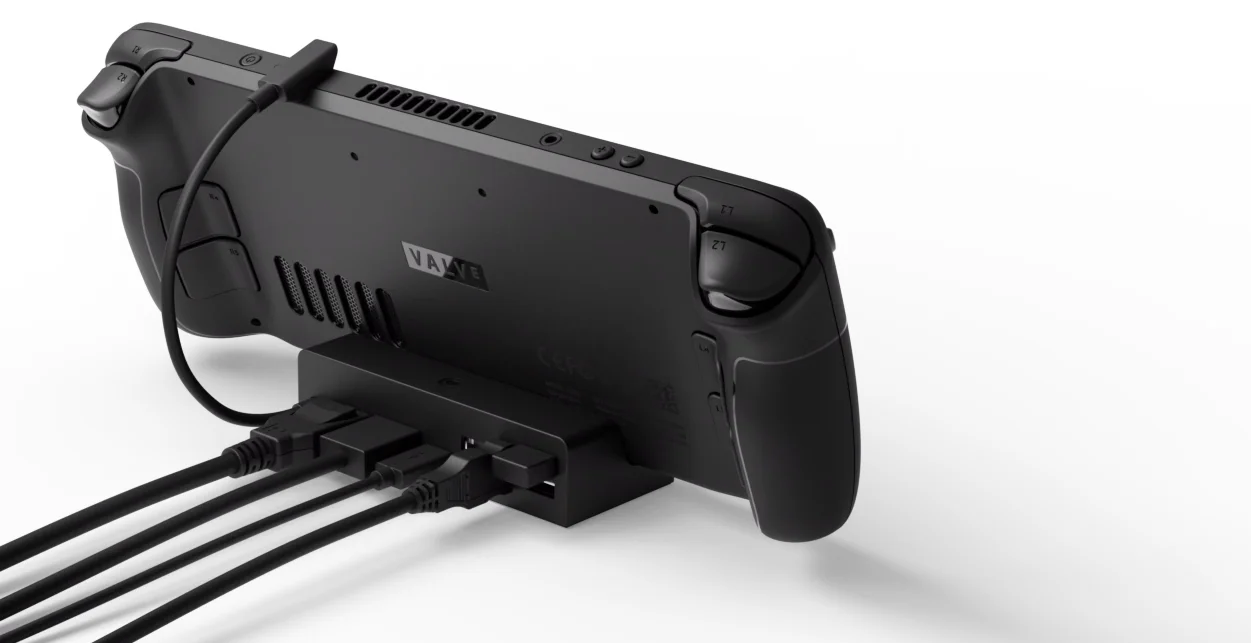
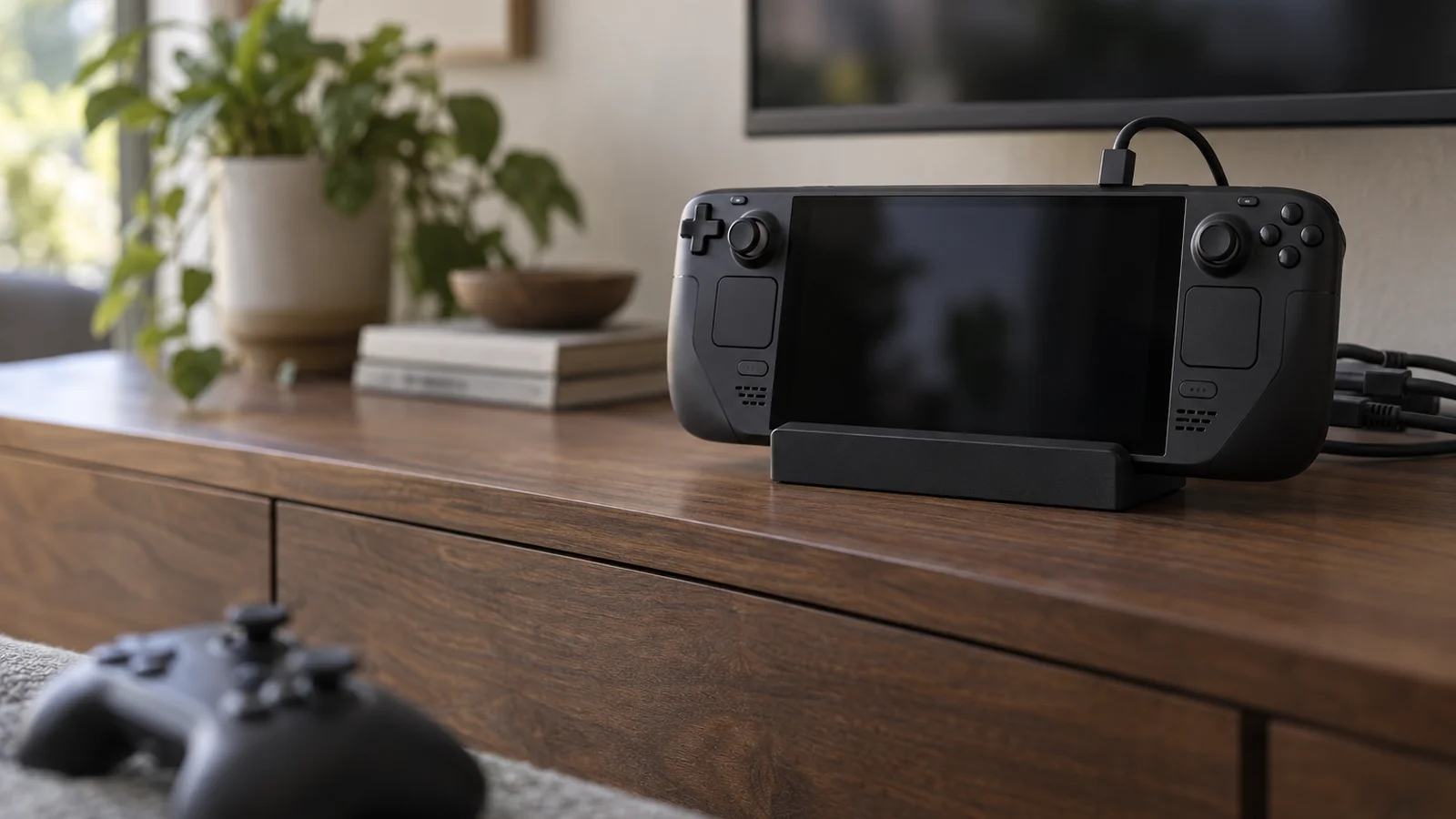
Valve's dock has HDMI 2.0 and DisplayPort 1.4 outputs, three USB-A 3.1 Gen 1 ports and Gigabit Ethernet. It supports FreeSync and MST for multiple monitors. Valve's footnote says MST currently needs both the HDMI and DisplayPort ports in use.
It is the only dock here with two video outputs, so it is the one to buy for a two-monitor desk. The Steam store page says the box includes the same power supply Valve ships with the Steam Deck. You do not need to buy a charger.
The tradeoff is the 4K 60Hz or 1440p 120Hz ceiling. PCMag's review also counted easier firmware updates and the lack of a required power supply as pros, and its price against third-party docks as a con.
2. UGREEN Steam Deck Docking Station 75126: 4K 120Hz with a USB-C data port
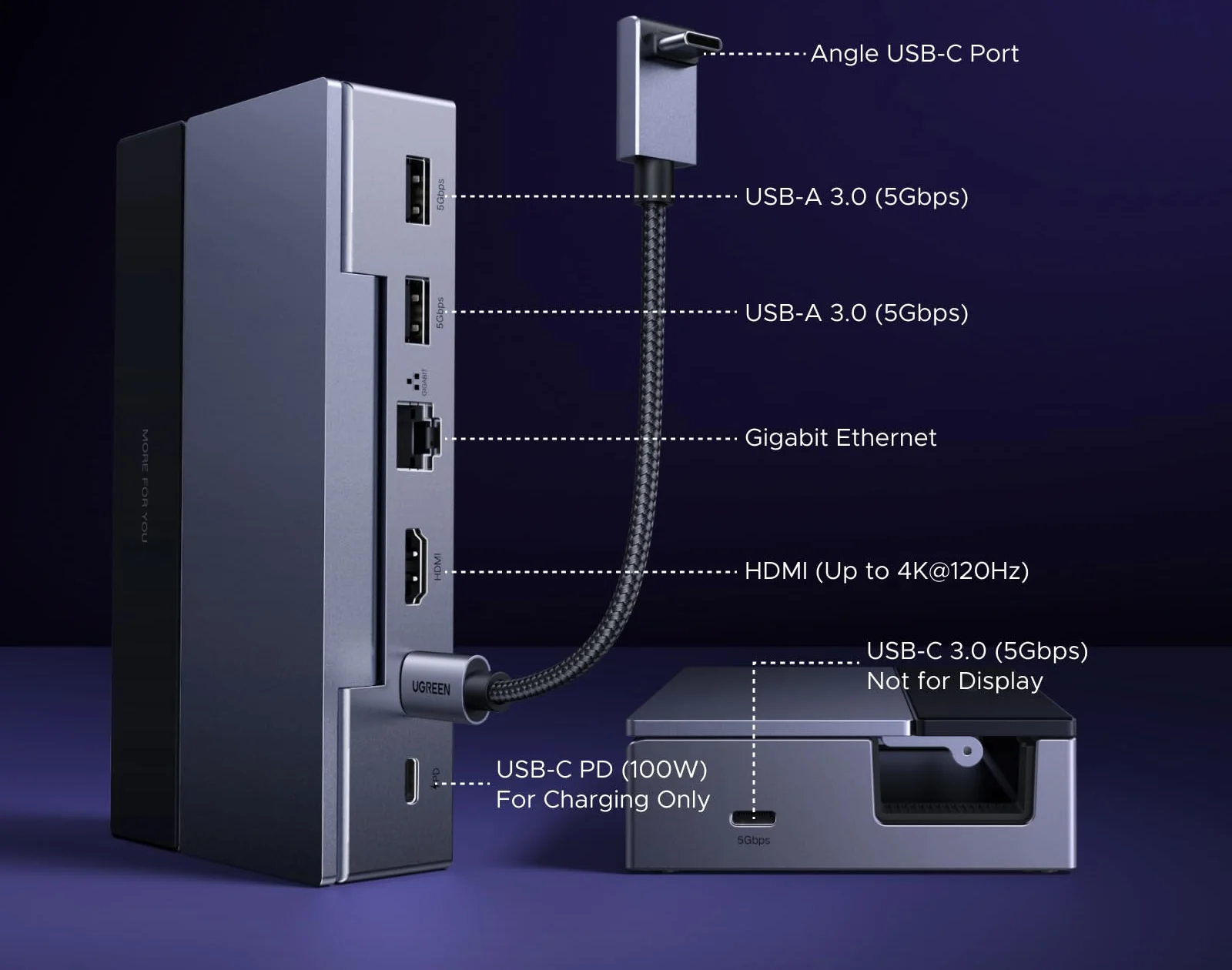
UGREEN's 6-in-1 dock, SKU 75126, has one HDMI 2.1 port rated for 4K 120Hz with VRR. It adds two USB-A 3.0 ports, a USB-C 3.0 data port, all at 5Gbps, and Gigabit Ethernet. UGREEN labels that USB-C data port as not for display, so it cannot add a second screen.
No charger comes in the box. For a Steam Deck, UGREEN lists a 45W PD charger as the minimum and recommends 65W when accessories are connected. Pick this one if you want a USB-C port for a drive or keyboard alongside the USB-A ports.
3. JSAUX HB0603S: 4K 120Hz with three USB-A ports
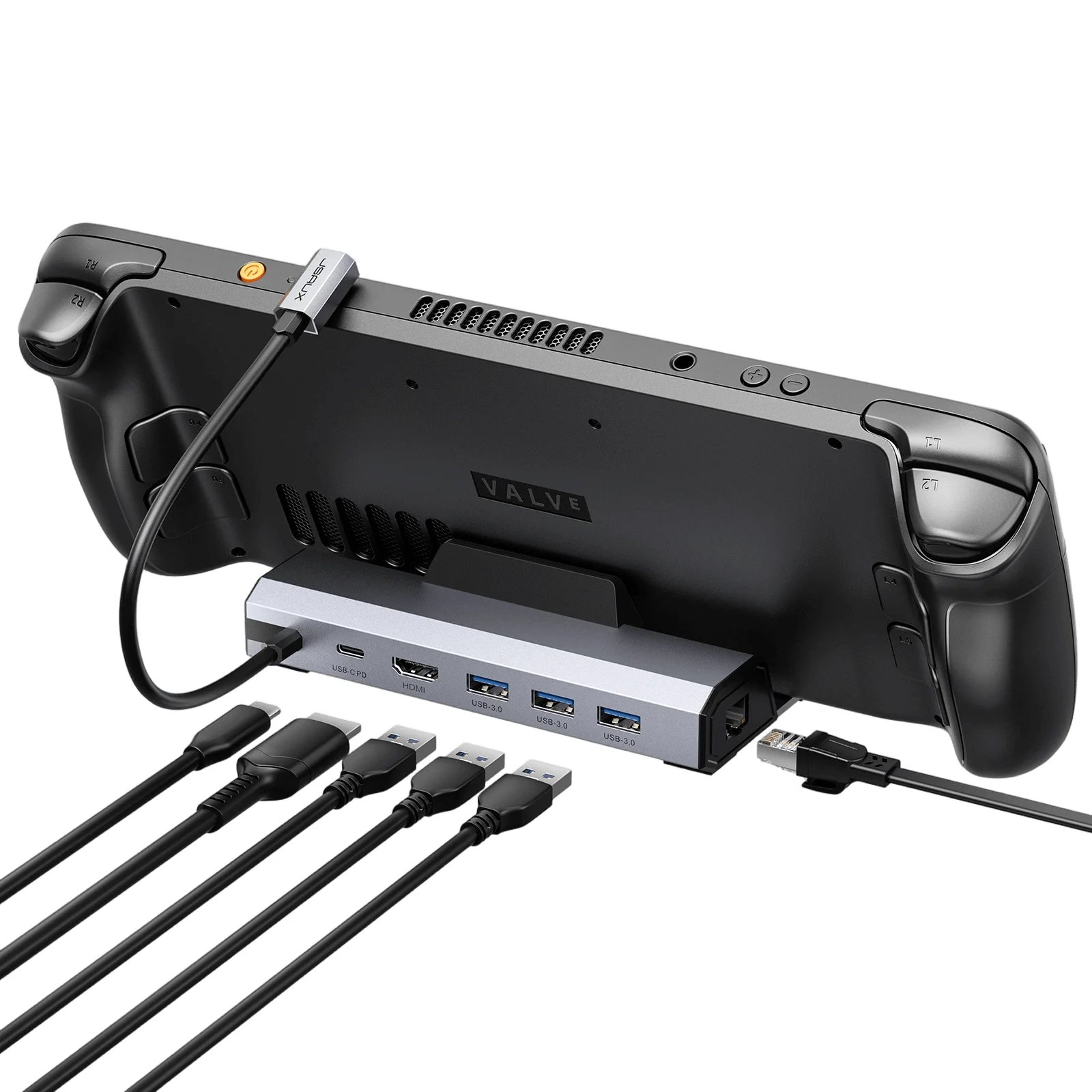
The HB0603S has one HDMI 2.1 port rated for 4K 120Hz HDR, three USB-A 3.0 ports at 5Gbps, Gigabit Ethernet and a USB-C PD input up to 100W. JSAUX lists a 65W charger only with its Powered desk setup kit, not with the dock on its own.
Check the model before you buy. JSAUX says the HB0603S doubles the refresh rate of the previous 4K 60Hz version. A listing that does not name the HB0603S or say "upgraded" may be the older dock. JSAUX also sells the HB0612, which it says is identical apart from adding ROG Xbox Ally support.
How they compare
| Dock | Video out | Best display mode | USB data ports | Charger in box |
|---|---|---|---|---|
| Valve Docking Station | HDMI 2.0 and DisplayPort 1.4 | 4K 60Hz or 1440p 120Hz | 3 USB-A 3.1 Gen 1 | Yes |
| UGREEN 75126 | HDMI 2.1 | 4K 120Hz | 2 USB-A, 1 USB-C, 5Gbps | No |
| JSAUX HB0603S | HDMI 2.1 | 4K 120Hz | 3 USB-A, 5Gbps | Only in Powered kit |
All three have Gigabit Ethernet and USB-C power passthrough.
Which dock to buy
If you plug into a 4K TV or monitor that runs at 120Hz, buy the UGREEN 75126 or the JSAUX HB0603S. Choose UGREEN for the USB-C data port or JSAUX for the third USB-A port, and budget for a USB-C PD charger if you do not want to move the Deck's own. UGREEN lists 45W as the minimum for a Steam Deck.
Buy Valve's dock if you want two monitors at a desk, a DisplayPort output, or a charger in the box. On a 60Hz TV, its ceiling does not matter.
Sources
- Valve, Steam Deck OLED tech specs, Steam Deck LCD tech specs, Docking Station tech specs, Docking Station store page, Docking the Steam Deck and Steam Deck FAQ
- PCMag, Valve Steam Deck Dock review
- UGREEN, Steam Deck Docking Station 6-in-1
- JSAUX, 6-in-1 Docking Station HB0603S
All sources were checked on October 6, 2026.