A mechanical keyboard will type on a Mac whether or not it says Mac on the box. RTINGS puts it plainly in its best keyboards for Mac list: virtually every keyboard is at least partially compatible, with almost every button working except a few keys. Those few keys are what this guide is about, along with the connection and login details that decide whether a keyboard suits a MacBook with only USB-C ports.
Four keyboards that ship with Mac keycaps, each for a different kind of buyer:
- Lofree Flow 2 84 for Mac if you want the bottom row laid out like a MacBook keyboard.
- NuPhy Node100 Low-Profile for a full-size board with a number pad, and the mechanical keyboard RTINGS picks for Mac.
- Logitech MX Mechanical Mini for Mac if you want Logitech's macOS app, backlight that turns on as your hands approach, and no cable.
- Keychron K2 Max for standard-height keys and switches you can swap, with keycaps for both a Mac and a PC.
This guide is AI-generated from Apple, Logitech, Lofree, NuPhy and Keychron documentation, reviews by RTINGS and Forbes, and one buyer review on Lofree's store. GearExplained did not test these keyboards. The product cards at the end link to Amazon, and GearExplained may earn a commission. That does not decide which keyboards appear here.
If you would rather have scissor keys, Touch ID or a keyboard that runs on AAA batteries, see wireless keyboards for Mac.
What changes when the keyboard is not Apple's
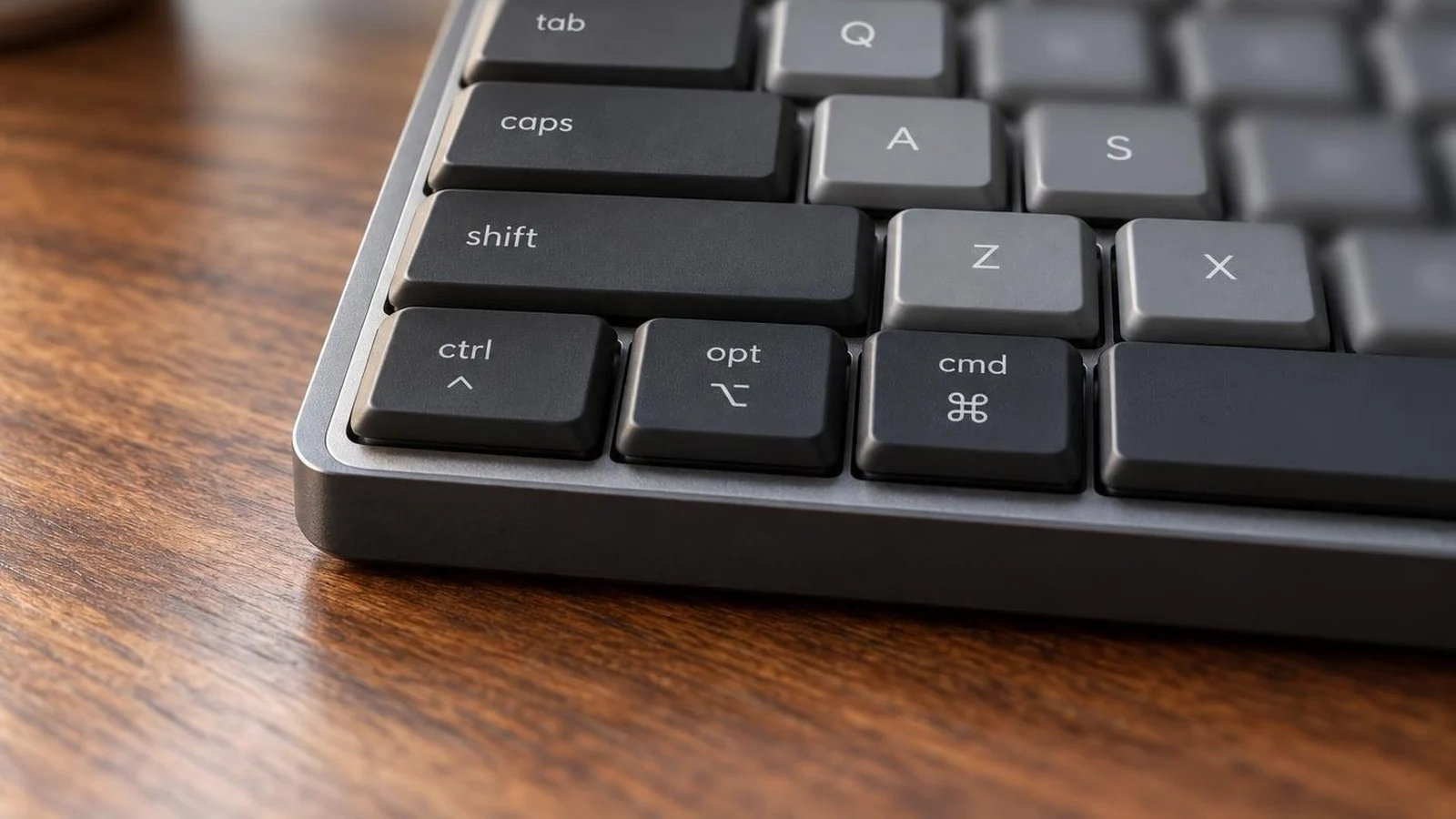
The modifier keys. On a Mac, the key beside the space bar is Command, then Option, then Control. Apple's page on Windows keys on a Mac keyboard maps Alt to Option and Ctrl to Command, and its shortcut list says to press Ctrl or the Windows logo key for Command on a keyboard made for Windows. A keyboard with a Mac mode and Mac keycaps saves you from learning that translation. If the keys still sit in the wrong place, Apple lets you change what each modifier does: open System Settings, click Keyboard, then Keyboard Shortcuts, then Modifier Keys, and choose an action for each key.
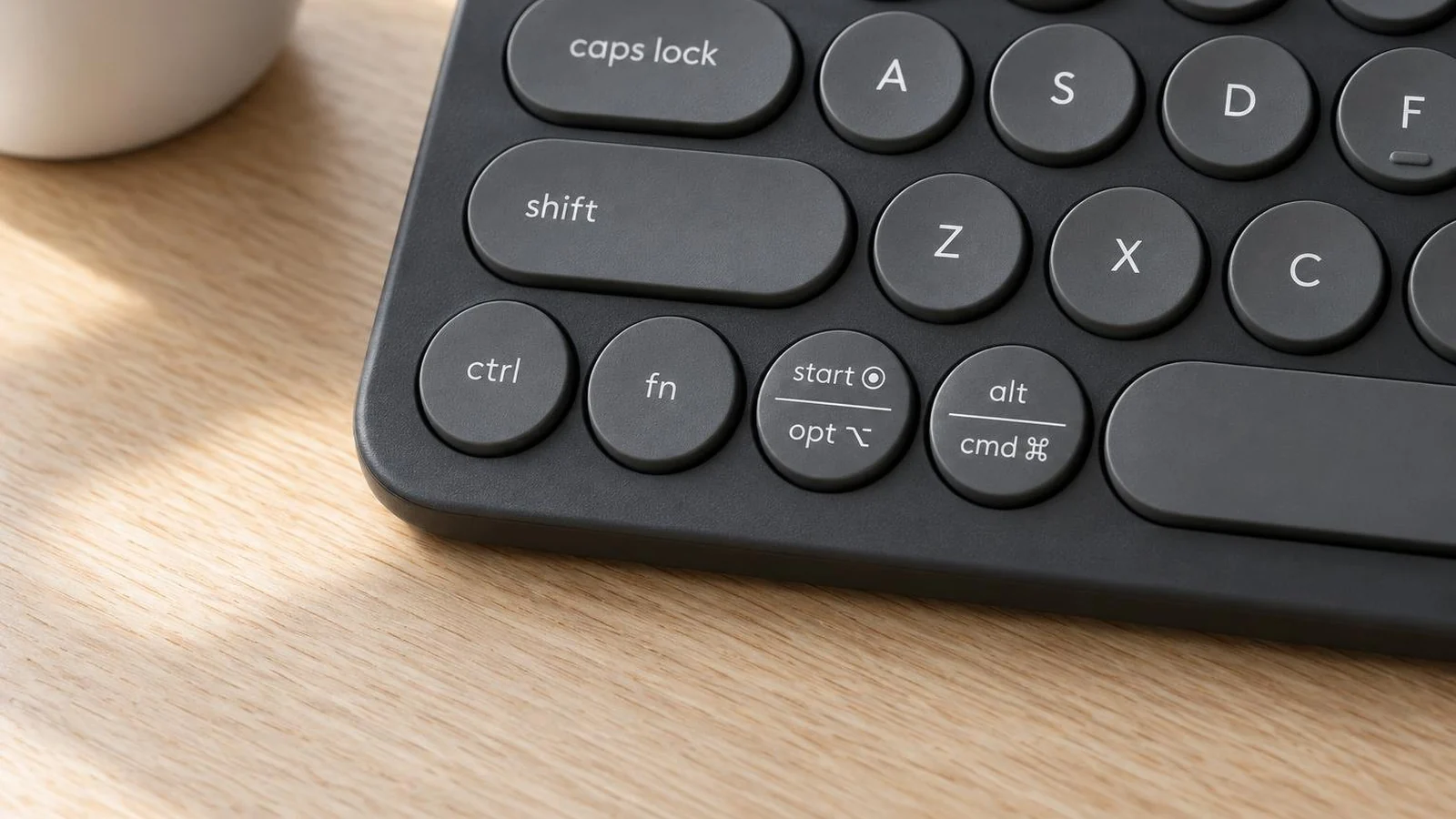
The Globe key. Apple calls it the Fn or Globe key, depending on the keyboard, and macOS uses it for its own shortcuts. Apple's list includes Fn-A for the Dock, Fn-C for Control Center, Fn-D for dictation, Fn-N for Notification Center and pressing Fn twice for the Character Viewer. A third-party keyboard's fn key usually does something else. Logitech says its keyboards do not send the Fn/Globe keycode in a way that works with Apple's shortcuts, so features such as window tiling that rely on it are not supported. Lofree describes the Flow 2 for Mac's bottom row as Fn/Globe, Control, Option and Command, but one buyer review on Lofree's own page says the fn key is not exactly the MacBook's globe key. NuPhy and Keychron do not say either way. If you rely on Globe shortcuts, assume you will lose them.
FileVault and Bluetooth. Logitech's MX Mechanical Mini for Mac page warns that with FileVault on, a Bluetooth keyboard may not let you enter your password at startup or after a restart. It suggests the Mac's built-in keyboard or a Logi Bolt receiver. On a MacBook the built-in keyboard is right there. On a Mac mini or a closed MacBook on a stand, it is a reason to want the receiver Logitech suggests. The other three keyboards here have a receiver and a cable mode, though none of their makers says whether either works at the FileVault screen.
USB-A in the box. Keychron's K2 Max ships with a USB-A receiver and a USB-A to USB-C cable. On a MacBook with only USB-C ports, both need an adapter or a different cable. NuPhy includes a USB-C to USB-C cable and a USB-C to USB-A adapter with the Node100. Lofree lists a USB-C cable and a 2.4G receiver for the Flow 2 84 for Mac without saying which plug the receiver has.
The setup app. Logi Options+ is a macOS app. Keychron Launcher and NuPhy's configurator run in a web browser. Keychron asks for the latest Chrome, Opera or Edge, and a wired connection, to use Launcher, so plan on something other than Safari. RTINGS says NuPhy's web software works on Mac. Lofree says VIA remaps the Flow 2 without installing extra software.
| Keyboard | Size | Profile | Mac keycaps | Mac and Windows switch | Connections | In the box | Setup app |
|---|---|---|---|---|---|---|---|
| Lofree Flow 2 84 for Mac | 75%, 84 keys | Low | Mac layout only | Not listed | 2.4GHz, Bluetooth 5.3, USB-C cable | USB-C cable, 2.4G receiver | VIA |
| NuPhy Node100 Low-Profile | Full size, 103 keys | Low | Yes | Yes | 2.4GHz, Bluetooth 5.0 for 3 devices, USB-C cable | 2.4G receiver, USB-C to USB-C cable, USB-C to USB-A adapter | NuPhy web configurator |
| Logitech MX Mechanical Mini for Mac | 75% | Low | Mac layout only | Not listed | Bluetooth for 3 devices; Bolt receiver sold separately; cable charges only | USB-C charging cable | Logi Options+ for macOS |
| Keychron K2 Max | 75% | Standard | Fitted, with Windows keycaps included | Yes | 2.4GHz, Bluetooth 5.1 for 3 devices, cable | USB-A receiver, USB-A to USB-C cable | Keychron Launcher in Chrome, Opera or Edge |
Source: each maker's product page, setup guide and box contents, checked October 22, 2026. "Not listed" means the maker's page does not say.
1. Lofree Flow 2 84 for Mac: the closest to a MacBook layout
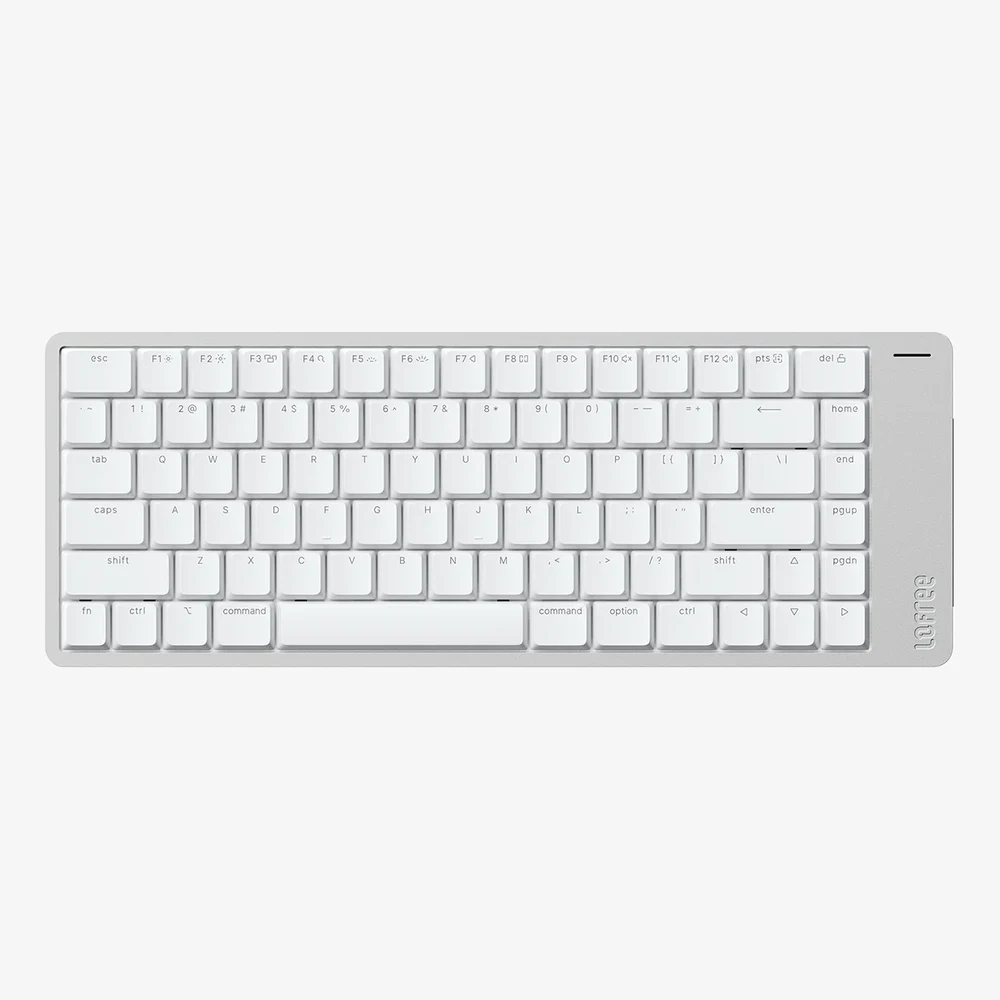
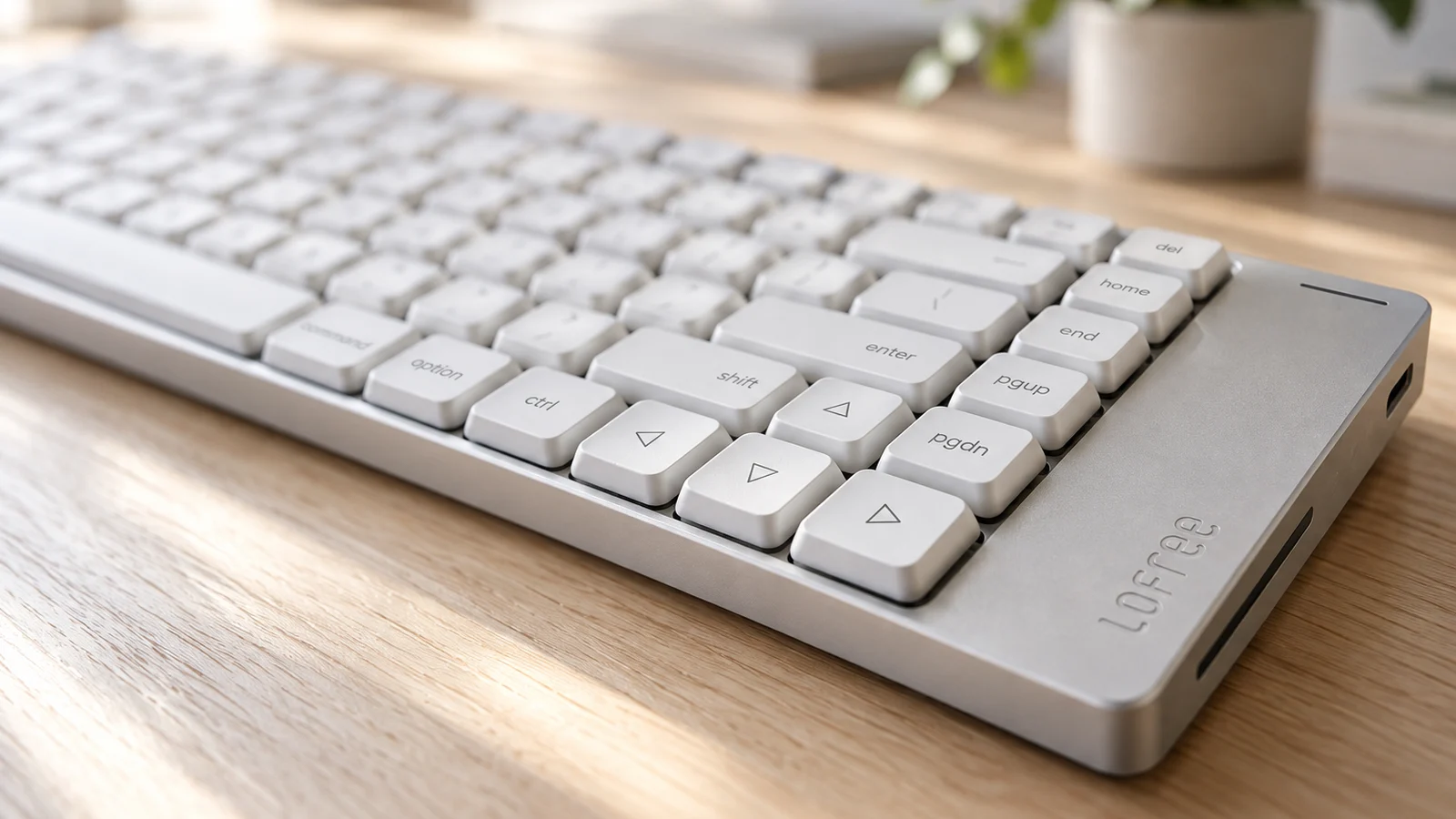
Most keyboards in this guide are Windows boards with Mac keycaps. The Flow 2 84 for Mac is the only one here built around Apple's arrangement. Lofree says the bottom row keeps the fn, control, option and command order of a MacBook, that the left command key lines up with X, and that the space bar ends under M. Its product images show the words command, option and ctrl printed on the keys, and Lofree lists elongated esc and delete keys.
It has a solid aluminum case, low-profile Cloud Series Surfer switches that you can swap, and a touch-sensitive bar on the side for volume and screen brightness. It connects by 2.4GHz receiver, Bluetooth 5.3 or USB-C cable. Lofree's spec table lists a 3,000mAh battery rated for up to 90 hours with the backlight off and 16 hours with it on, though a paragraph on the same page, which names the 68-key model, gives 2,000mAh and 13 hours. VIA handles key remapping and macros.
The caveats. The fn key may not work as a Globe key, according to the buyer review mentioned above. RTINGS has reviewed the standard Flow 2, not this Mac version, and found superb typing and remarkable build quality. The Mac version uses a different layout and comes only with Surfer switches, so that review is a guide to the family rather than to this exact board. Lofree also sells the standard Flow 2 84 with an ANSI layout for Mac and Windows. Check that the listing says "for Mac".
2. NuPhy Node100 Low-Profile: full size, and RTINGS's mechanical pick for Mac
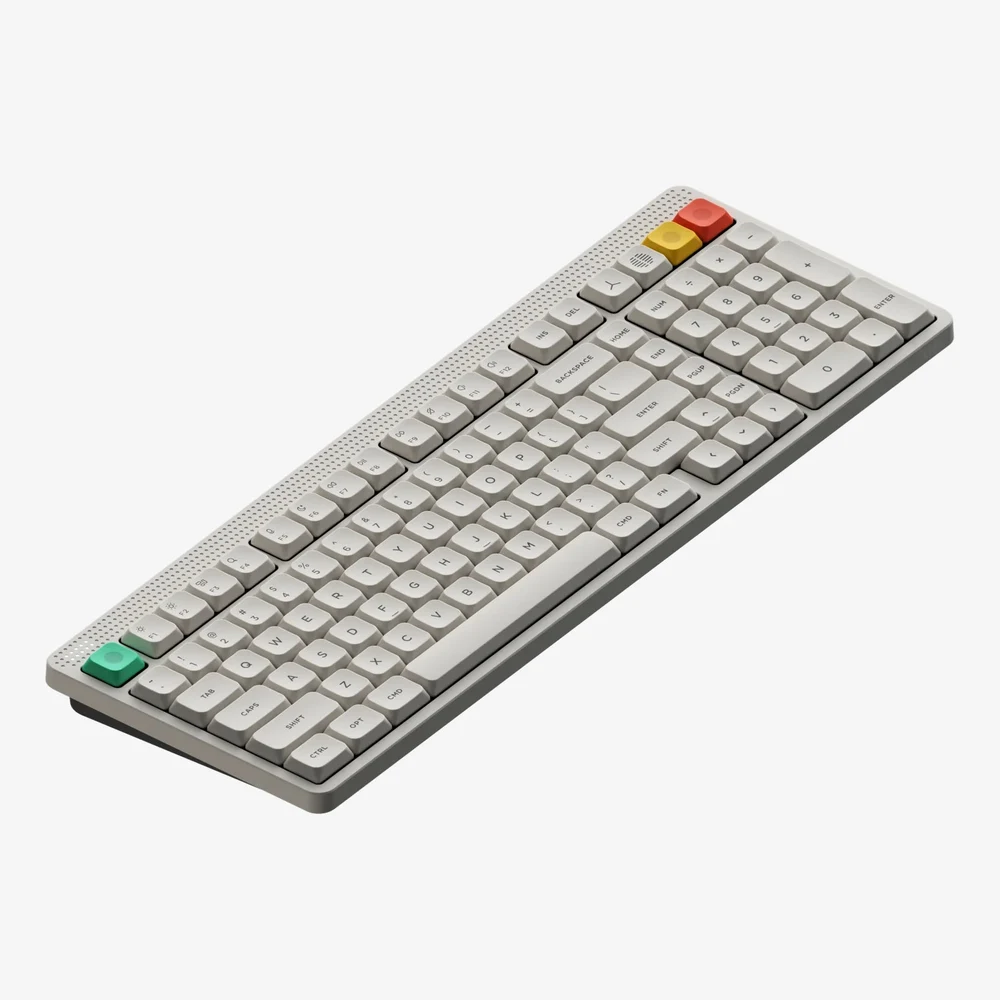
RTINGS names the NuPhy Node Series its best mechanical keyboard for Mac. It tested a low-profile model and found excellent typing quality, with the tactile feel of mechanical switches on a soft, springy gasket mount. It calls the all-plastic boards solid and sturdy. Some people may find them too soft, especially with the silent Blush nano switches. The Node Series review compares it with the Lofree Flow 2 and gives the Lofree the more premium build and the NuPhy RGB lighting and more software options.
For a Mac, RTINGS points to two things: the keycaps carry Mac legends out of the box, and a physical toggle switches between Mac and Windows modes. NuPhy's quick guide shows that switch, and its product image shows ctrl, opt and cmd beside the space bar. Fn plus 1, 2 or 3 selects one of three Bluetooth devices and Fn plus 4 selects the receiver. NuPhy's guide assigns layers 0 to 3 to Mac mode and 4 to 7 to Windows mode in its web configurator, so a Mac remap can leave the PC layout alone.
The Node100 Low-Profile has 103 keys including a number pad, hot-swappable Red, Blush or Brown nano switches, and a touch bar. NuPhy lists 1000Hz over the cable and receiver, 125Hz over Bluetooth, and a 3,000mAh battery rated for 60 to 100 hours with all lights on. If you do not need the number pad, the Node75 Low-Profile is the 84-key version. NuPhy also sells a high-profile Node line, which is a different keyboard.
3. Logitech MX Mechanical Mini for Mac: a Mac app, and Bluetooth only
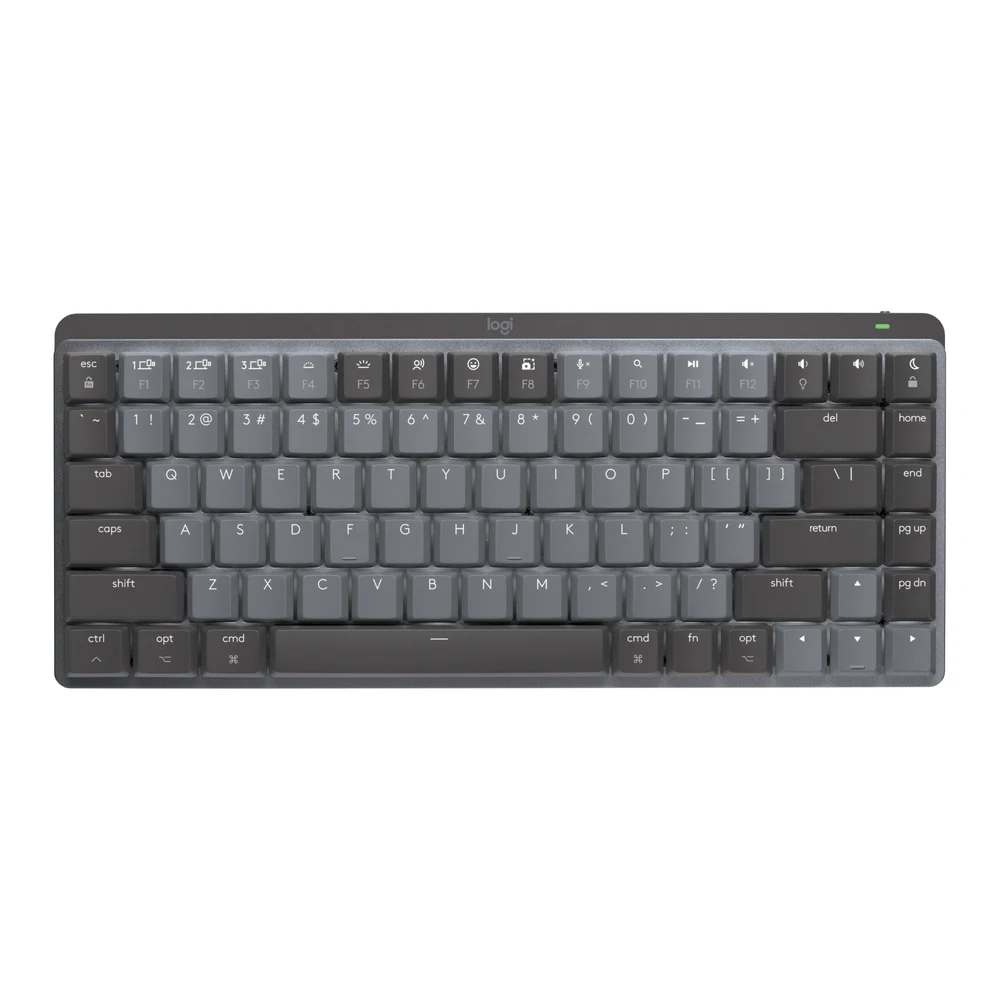
The MX Mechanical Mini for Mac is printed only for macOS and comes with Tactile Quiet low-profile switches. Forbes reviewer Brad Moon found it comfortable to type on and noted the flip-out feet, but wished for a clicky option. Logitech also sells a regular MX Mechanical Mini, which is a separate model.
Its strength on a Mac is software. Logi Options+ runs on macOS and changes Fn key functions, shows battery level, sets backlight effects and assigns app-specific profiles. The backlight turns on as your hands approach and adjusts to the room. With a Flow-enabled Logitech mouse, the keyboard follows the pointer from one computer to another. Easy-Switch keys hold three Bluetooth devices, and Logitech names the MacBook, iMac and iPad.
The limits are about connection. Logitech's setup guide says the USB-C cable is for charging only, so this is a wireless keyboard. The store page lists the Logi Bolt receiver as compatible but not included, and says it does not work with older Unifying receivers. That matters for the FileVault warning above, which comes from this product's page. And it is a Logitech keyboard, so its fn key does not act as Apple's Globe key. Logitech rates the battery at up to 15 days with the backlight or 10 months without.
4. Keychron K2 Max: standard keys for a Mac and a PC
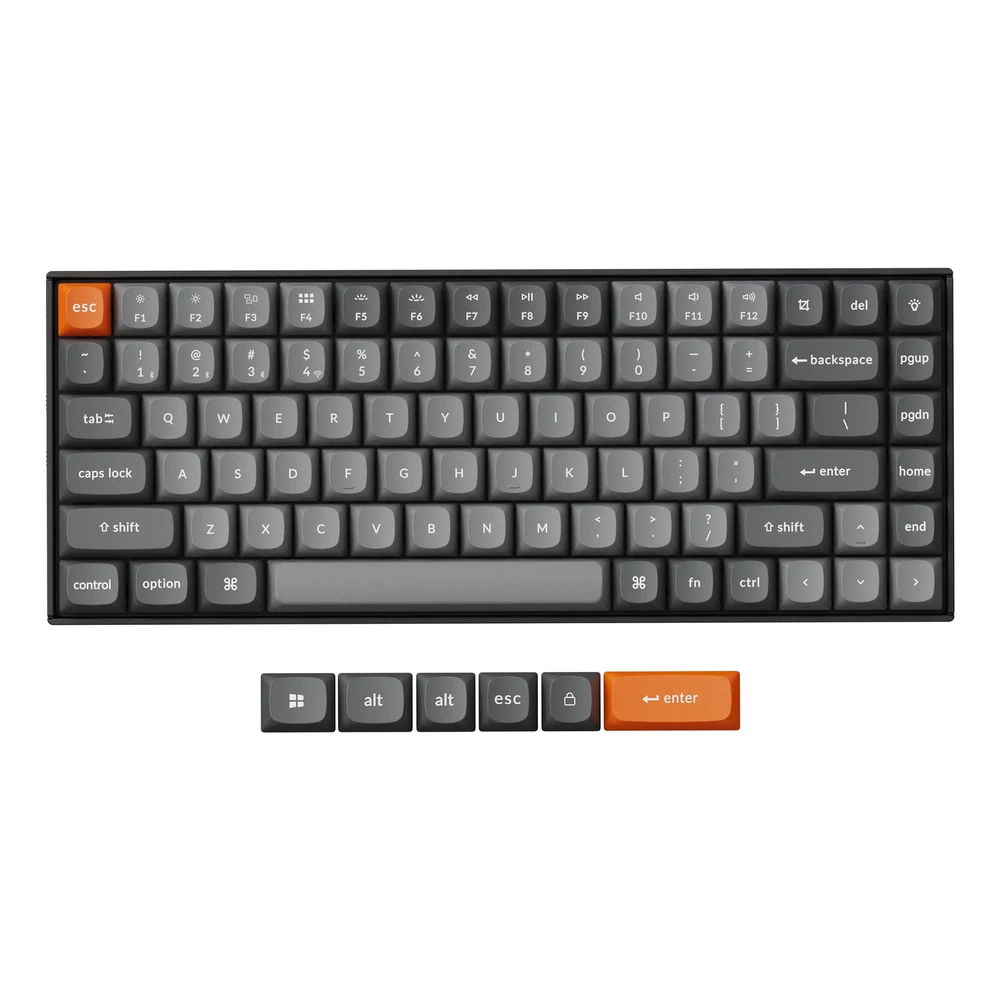
The other three picks are low-profile boards. The K2 Max has standard-height keys, OSA-profile PBT keycaps and three typing angles, and Keychron says it was built with Mac users in mind while staying compatible with Windows. It has a system toggle and keeps a separate layout for each system. Keychron's box image shows control, option and command keycaps fitted, with Windows and alt keycaps as spares.
On hot-swappable versions you can swap the switches for most 3-pin and 5-pin MX-style switches without soldering. QMK firmware and the Keychron Launcher web app remap keys and record macros, and Keychron says they work with macOS. Use Chrome, Opera or Edge and connect the keyboard by cable when you do. It connects by 2.4GHz receiver, Bluetooth to three devices or cable, and Keychron rates its 4,000mAh battery at up to 190 hours.
Two things to plan for on a MacBook. The receiver and the cable in the box both use USB-A, so you need a USB-C adapter or a USB-C to USB-C cable. And Keychron sells the K2 Max in several versions, with or without an aluminum frame, RGB or white backlight, and hot-swappable or not. Check the version before you buy. GearExplained did not find an independent review of the K2 Max itself.
Which mechanical keyboard to buy for a Mac
If you use a MacBook and want an external keyboard laid out the same way, buy the Lofree Flow 2 84 for Mac, and make sure the listing says "for Mac".
If you want a number pad or a mechanical keyboard with a lab review behind it, buy the NuPhy Node100 Low-Profile. The Node75 is the same board without the number pad.
If you use Logitech's software and mouse already and do not need a cable, the MX Mechanical Mini for Mac fits. Buy a Logi Bolt receiver with it if your Mac uses FileVault and you log in without the built-in keyboard.
If you want taller, standard keys or plan to try other switches, buy the Keychron K2 Max, and add a USB-C adapter for its receiver and cable.
On any of them, expect to lose Apple's Globe shortcuts, and use System Settings to move a modifier key you do not like.
Sources
- Apple, Windows keys on a Mac keyboard, Change the behavior of the modifier keys on Mac and Mac keyboard shortcuts
- RTINGS.com, best keyboards for Mac and reviews of the NuPhy Node Series and Lofree Flow 2
- Forbes, Review: Logitech MX Mechanical Mini Keyboard For Mac
- Logitech, MX Mechanical Mini for Mac, its getting started guide and Fn key behavior on macOS
- Lofree, Flow 2 84 for Mac
- NuPhy, Node100 Low-Profile, Node Series Low Profile and the Node100 Low-Profile quick guide
- Keychron, K2 Max
All sources were checked on October 22, 2026.