Any USB-C hub will add ports to a MacBook, but the Mac decides how much of the hub you can use. Three things trip people up. A hub with two HDMI ports still gives a Mac one extra screen. On a MacBook Neo, only one of the two ports carries video. And charging through a hub costs you some of the charger's power.
Here are three hubs that suit a MacBook, each for a different setup:
- UGREEN Revodok Pro 109 for a desk: one 4K screen, three USB-A ports, Ethernet and card slots. Engadget's top pick after testing a dozen hubs.
- Anker 555 USB-C Hub (8-in-1) for nearly the same ports with faster USB-A, and the clearest charging documentation of the three.
- Anker 547 USB-C Hub (7-in-2, for MacBook) for a bag: it plugs straight into both ports on the side of a MacBook Air or Pro and leaves MagSafe free.
This guide is AI-generated from Apple, Anker, UGREEN and Plugable documentation and from reviews by Engadget and Gadgetoid. GearExplained did not test these hubs. The product cards at the end link to Amazon, and GearExplained may earn a commission. That does not decide which hubs appear here.
If you need two or three external screens, a hub is the wrong tool. See docking stations for MacBook for DisplayLink and Thunderbolt docks that can do it.
What each MacBook's ports can drive
| MacBook | USB-C ports | Which carry video | External displays, per Apple | Charge without the hub |
|---|---|---|---|---|
| MacBook Neo | 1 USB 3 at up to 10Gb/s, 1 USB 2 at up to 480Mb/s | The left port only | 1, up to 4K at 60Hz | Either USB-C port; Apple suggests the right one |
| MacBook Air (M5) | 2 Thunderbolt 4 | Both | Up to 2 | MagSafe 3 |
| MacBook Pro (M5) | 3 Thunderbolt 4, plus HDMI | All three, plus HDMI | Up to 2 | MagSafe 3 |
| MacBook Pro (M5 Pro, M5 Max) | 3 Thunderbolt 5, plus HDMI | All three, plus HDMI | Up to 3 on M5 Pro, 4 on M5 Max | MagSafe 3 |
Source: Apple's tech specs for the MacBook Neo, MacBook Air (13-inch, M5) and MacBook Pro, and Apple's MacBook Neo port guide, checked October 22, 2026.
One hub, one screen. Apple says the Air and Pro can run two or more displays over a single Thunderbolt port. That does not carry over to a USB-C hub with two HDMI ports. Those hubs split the signal with MST, and Plugable says macOS still does not support MST for extended displays, so both monitors show the same image, "even the new M5 Max". Anker's hub FAQ says the same: macOS and iPadOS support only single-stream mode. Engadget's hub testing found that on several dual-HDMI hubs the second screen could only mirror the first, at a lower resolution. That is why all three picks here have one HDMI port.
On a MacBook Neo, use the left port. Apple's port guide says the left port supports one external display and USB 3 speeds of up to 10Gb/s. The right port runs at USB 2 speeds of up to 480Mb/s and has no video. A hub in the right port will charge and handle a keyboard or mouse, but its HDMI port will stay dark and its fast USB ports will run at USB 2 speed. Apple also says devices that use only Thunderbolt do not work with the Neo.
Pass-through charging costs power. Anker's 555 guide says the hub keeps 15W for itself, so a 100W charger delivers up to 85W to the laptop, and a 30W charger leaves too little to charge one. The MacBook Neo comes with a 20W adapter. A hub that takes what the 555 takes would leave the Neo almost nothing from it. Apple's tip for the Neo is to charge from the right port and keep the left port free, which also keeps the charger off the hub. On an Air or Pro, MagSafe does the same job. Engadget adds that its hubs ran hotter when passing a charge through, and that the one case where power matters is working with the lid closed on an external monitor, when either the laptop or the hub has to be plugged in.
4K at 60Hz needs two things. The hub's HDMI port has to be HDMI 2.0, since Engadget notes HDMI 1.4 tops out at 4K 30Hz. And Anker gives 4K at 60Hz only when the laptop's port supports DisplayPort 1.4, with 4K at 30Hz on DisplayPort 1.2. Apple lists DisplayPort 1.4 speeds for the Neo's left port, the Air's Thunderbolt 4 ports and the M5 MacBook Pro's Thunderbolt 4 ports, and DisplayPort 2.1 for the Pro's Thunderbolt 5 ports.
| Hub | Connects by | HDMI | USB data ports | Ethernet | Card slots | Charging |
|---|---|---|---|---|---|---|
| UGREEN Revodok Pro 109 | Attached USB-C cable | HDMI 2.0, 4K 60Hz | 1 USB-C 10Gbps, 1 USB-A 10Gbps, 2 USB-A 5Gbps | Gigabit | SD, microSD | 100W in; 90W out in UGREEN's image |
| Anker 555 USB-C Hub (8-in-1) | Attached USB-C cable | HDMI 2.0, 4K 60Hz on DisplayPort 1.4 | 1 USB-C 10Gbps, 2 USB-A 10Gbps | Gigabit | SD, microSD | Up to 85W from a 100W charger |
| Anker 547 USB-C Hub (7-in-2, for MacBook) | Two fixed USB-C plugs | HDMI 2.0, 4K 60Hz | 1 USB-C 40Gbps pass-through, 1 USB-C 5Gbps, 2 USB-A 5Gbps | None | SD, microSD | Up to 100W in through the pass-through port |
Source: Anker and UGREEN product pages and user guides, checked October 22, 2026.
1. UGREEN Revodok Pro 109: the most ports for a desk
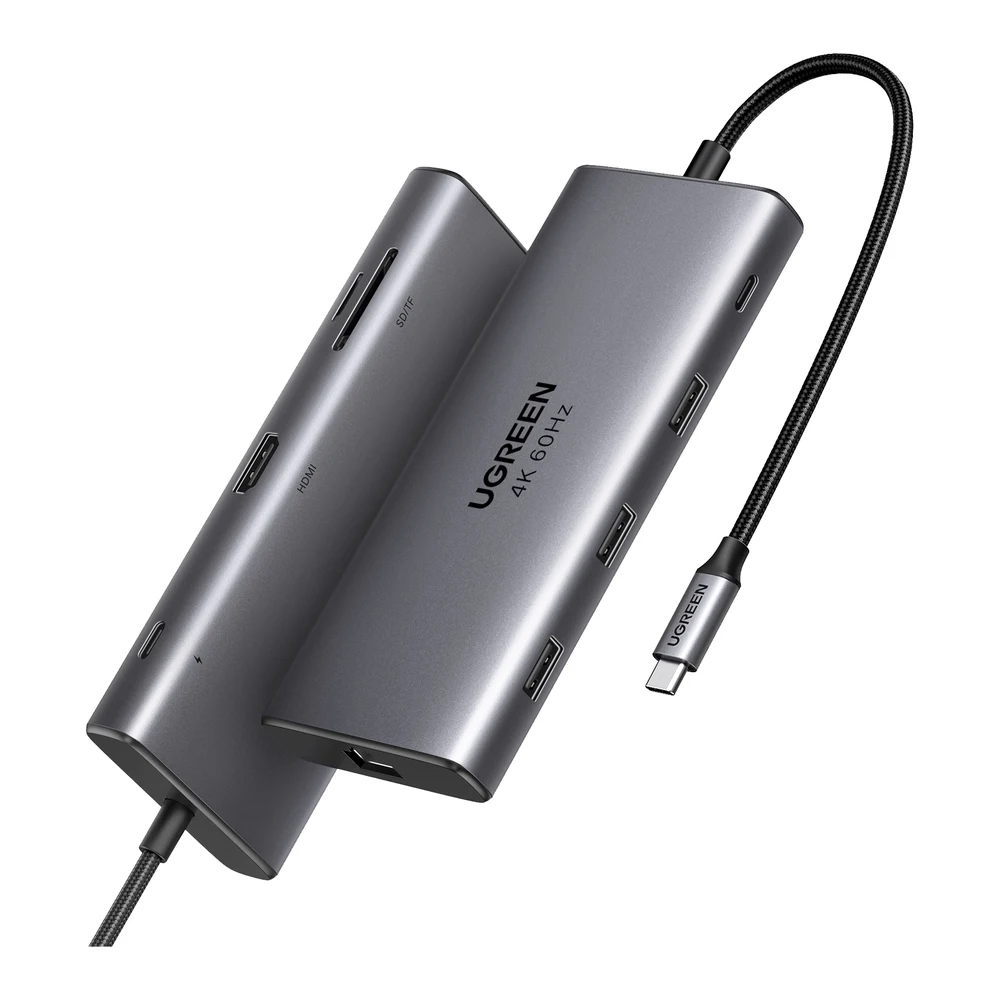
Engadget tested about a dozen hubs on an M1 MacBook Pro and named the Revodok Pro 109 its best USB-C hub. Its reviewer found 4K at 60Hz looked great on a Dell 4K monitor, data transfer ran ahead of other hubs at its price, and Ethernet speed matched a more expensive dock.
UGREEN's US listing, SKU 15532, has one HDMI 2.0 port, one 10Gbps USB-C data port, one 10Gbps USB-A port, two 5Gbps USB-A ports, Gigabit Ethernet, SD and microSD slots and a 100W charging port. UGREEN's own product image shows 100W in and 90W out, and Engadget lists the same. It weighs 207.9g, and UGREEN lists a two-year warranty.
The tradeoff Engadget points out is USB-C. Of the two USB-C ports, one only takes power, so you get one USB-C port for a drive, webcam or keyboard. If most of your accessories are USB-C, the Anker 555 is no better on that count; you would want a hub with more USB-C data ports. Check the model before you buy. UGREEN's site calls this hub the Revodok Pro 9-in-1 and lists it as the Revodok Pro109 series, and UGREEN also sells a Revodok Pro 108 8-in-1 with a different set of ports.
2. Anker 555 USB-C Hub (8-in-1): nearly the same, with faster USB-A
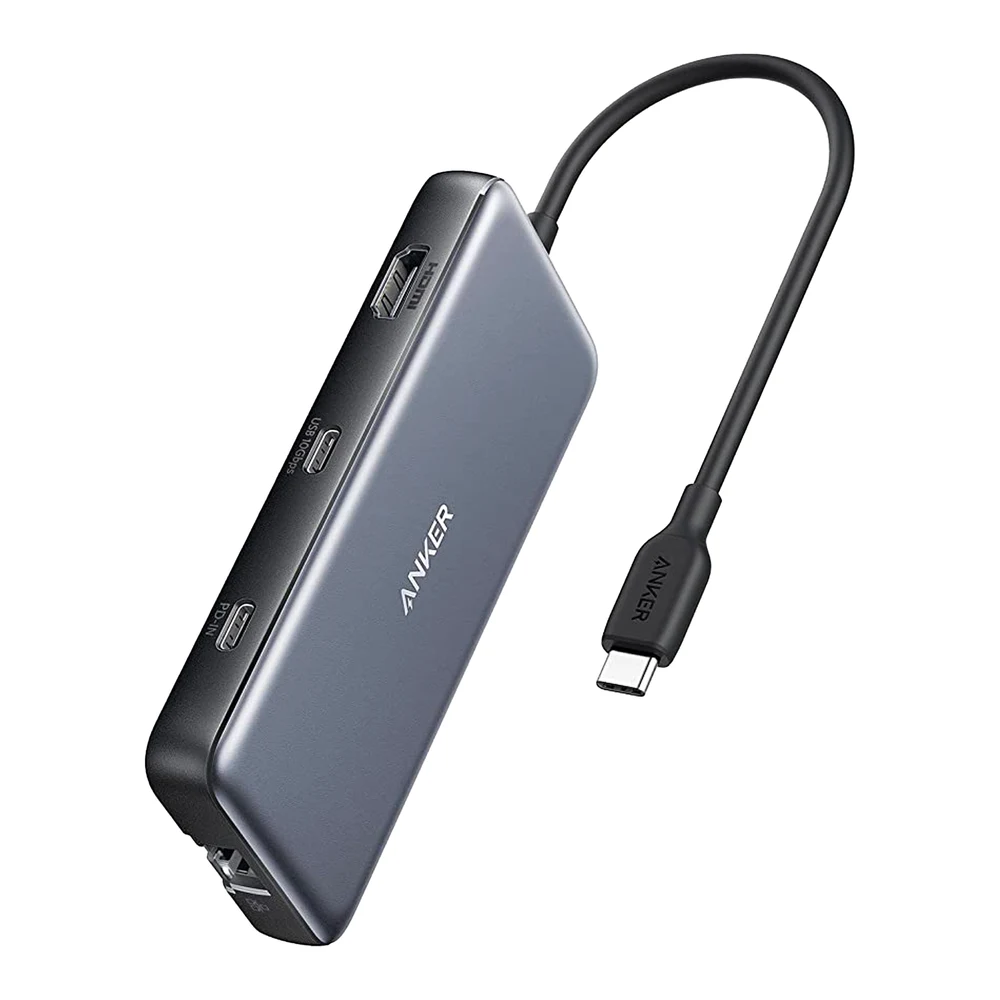
Engadget called it a tough call between this hub and the UGREEN for its top spot. The Anker 555, model A8383, has a similar set of ports, and Engadget picked the UGREEN for its build, its extra USB-A port and its cable, which is about two inches longer.
Where the 555 wins is speed on USB-A. Anker lists both USB-A ports and the USB-C data port at 10Gbps. The UGREEN has one 10Gbps USB-A port and two at 5Gbps. Add HDMI 2.0, Gigabit Ethernet and SD and microSD slots rated at up to 104MB/s.
Anker's guide is also the most specific of the three about limits, which makes it easy to plan around. HDMI runs at 4K 60Hz only when the Mac's port supports DisplayPort 1.4, which the Neo's left port and every Thunderbolt port on a current Air or Pro do, by Apple's specs. The PD-IN port only charges; it does not carry data or video. And the hub keeps 15W of whatever charger you connect, so Anker suggests a charger 15W stronger than your laptop's own. On an Air or Pro, it is simpler to charge through MagSafe and leave PD-IN empty.
3. Anker 547 USB-C Hub (7-in-2, for MacBook): no cable, for travel
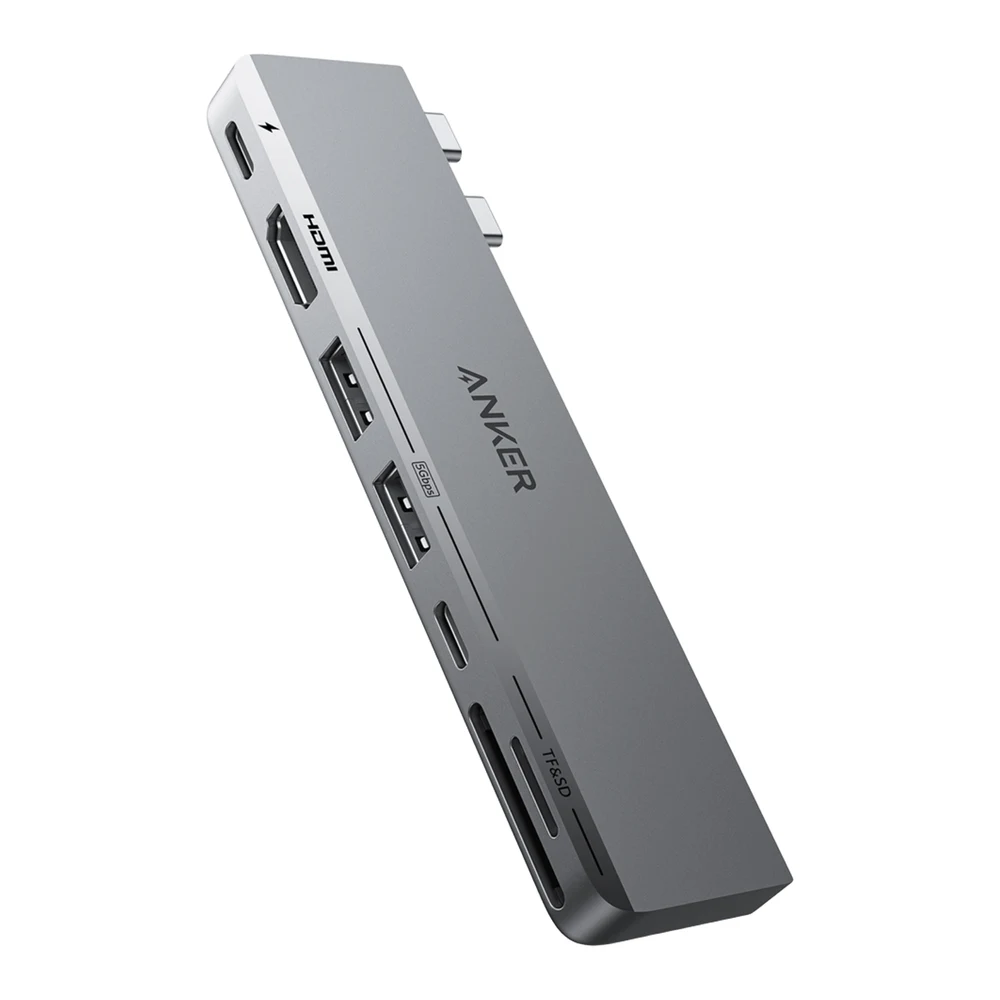
The 547, model A8354, has no cable. Two fixed USB-C plugs go into the two side-by-side ports on a MacBook, and the hub sits against the side of the laptop. Gadgetoid tested it on an M2 MacBook Air and a 2016 MacBook Pro, found it fit both and left the Air's MagSafe port clear, and called it probably the thinnest, most compact hub it had tested. It also found no room for Ethernet.
Because it uses both of the Mac's ports, one of its USB-C ports is a full pass-through. Anker lists that port at up to 40Gbps, up to 5K at 60Hz and up to 100W of charging in, according to its product page and user guide. The other ports are slower: HDMI 2.0 at 4K 60Hz, one 5Gbps USB-C data port, two 5Gbps USB-A ports and SD and microSD slots.
Its screen limits follow the Mac. Anker says the multi-function port and HDMI can drive two screens on M1, M2 or M3 Pro and Max models and on M4 models, but a base M1, M2 or M3 MacBook shows only one, with the second screen black. Gadgetoid says the same about its M2 Air: you cannot run two external monitors through this hub. The multi-function port is also the only one that charges the Mac, so you cannot charge through it and run a USB-C monitor from it at the same time.
Three cautions. Anker says it is only for MacBooks and does not fit MacBook cases. Anker lists MacBook Air and MacBook Pro models and does not list the MacBook Neo, whose ports run at 10Gb/s and 480Mb/s, so the 40Gbps and 5K figures cannot apply there. And Gadgetoid points out that Anker has sold a second hub with the same name, model A8371, with the HDMI port moved to the rear edge. Check the model number.
Which USB-C hub to buy for a Mac
If the hub will live on a desk next to one monitor, buy the UGREEN Revodok Pro 109. Buy the Anker 555 instead if you move files over USB-A and want all three data ports at 10Gbps.
If you carry the hub with a MacBook Air or Pro, buy the Anker 547. Skip it for a MacBook Neo.
On a MacBook Neo, plug either of the first two into the left port and the charger into the right one. On any Mac, plan on one external screen per hub, and charge through MagSafe when you have it.
Sources
- Apple, tech specs for the MacBook Neo, MacBook Air (13-inch, M5) and MacBook Pro, and the MacBook Neo port guide
- Plugable, Understanding Multiple Displays on Apple Silicon Macs
- Engadget, The best USB-C hub for 2026
- Gadgetoid, Anker 547 7-in-2 USB-C Hub For MacBook Reviewed
- UGREEN, Revodok Pro 9-in-1 USB-C Hub and Revodok Pro 108
- Anker, 555 USB-C Hub and its user guide, 547 USB-C Hub for MacBook and its user guide, and the 343 hub FAQ
All sources were checked on October 22, 2026.