In A+ course material, a port replicator adds common ports to a laptop, usually through one USB connection that works on almost any laptop. A docking station is built for a specific laptop and can add things the laptop lacks, up to full-size expansion cards. Professor Messer's lesson for CompTIA's current 220-1201 exam draws the line that way. If you're studying for that exam, that's the answer to learn.
Shopping is a different matter. Panasonic sells a "Desktop Port Replicator" that latches onto its rugged laptops through a docking connector. Fujitsu sells USB-C "port replicators" that charge the laptop. Dell calls a box that plugs into almost any USB-C laptop a "Universal Dock". The name on the box won't reliably tell you which kind you're getting. The connector, the charging wattage and the way it drives your screens will.
This guide is AI-generated from manufacturer documentation, course material and published definitions. GearExplained did not test these products. The product cards at the end link to Amazon, and GearExplained may earn a commission. That does not decide which products appear here.
The textbook answer
CompTIA's 220-1201 exam objectives list "Docking station" and "Port replicator" under objective 1.2, which asks candidates to compare and contrast accessories and connectivity options for mobile devices. The objectives name the two terms without defining them, so the definitions come from course material.
Professor Messer's lesson says docking stations "are a quick way to connect and disconnect a laptop without having to touch any of the cables," often add interface options, and may even take full-size interface cards. Port replicators are "very similar," but instead of a docking station made for one specific laptop, they're "commonly connecting over a USB connection," so you can use one on almost any laptop. They're smaller and don't take adapter cards.
So for an exam question, a laptop-specific connector or room for expansion cards points to a docking station. A compact USB box that gives you common ports and moves between laptops points to a port replicator.
Where the definitions disagree
Outside course material, sources draw the line in different places.
| Source | Docking station | Port replicator |
|---|---|---|
| PCMag Encyclopedia | A base station the laptop snaps into "via USB or a single special-purpose connector," sometimes with built-in peripherals | Connects over USB. PCMag says the terms are used interchangeably, but that a docking station uses a proprietary connector |
| CDW, 2022, quoting its Lenovo brand manager | Powers the laptop over the same connection, and historically used proprietary ports | Connects your peripherals, "but you traditionally you can't power your laptop through this connection" |
| Notebook-Doktor, a German laptop retailer, January 2026 | Fits only its maker's laptops and attaches underneath | Connects by USB-C or Thunderbolt and works across brands. It says the laptop and the replicator each need a power supply |
| University of Pennsylvania IT | The mechanically attached docks the university once used | Has "essentially replaced" those docks, and almost all now use USB-C. Penn notes that Dell and Lenovo call these boxes a "dock" or "docking station" |
PCMag's two entries don't agree with each other. Its docking station entry allows a USB connection, while its port replicator entry says a docking station uses a proprietary connector. Wikipedia uses a third test. It describes a port replicator as functionally a bundle of extension cables that duplicates the device's existing ports, and gives other names to docks that add ports or hardware.
CDW already saw the categories merging in 2022. A Dell client specialist at CDW, quoted in the same article, said USB-C and Thunderbolt docks and port replicators "are growing together."
What manufacturers put on the box
Product names follow none of these lines consistently.
Panasonic's TOUGHBOOK 55 and 56 Desktop Port Replicator, FZ-VEB551U, attaches through a docking connector and has a release lock. It has a DC input, Ethernet, HDMI, VGA, serial and USB ports. By PCMag's or Professor Messer's line, that is a docking station. The same Panasonic guide calls the in-vehicle mounts for these laptops "Vehicle Dock".
Fujitsu's accessory data sheet uses "port replicator" for both kinds. Its mechanical Port Replicator for the LIFEBOOK U7 and E5 families comes with a list of the exact models it fits, and the LIFEBOOK U7412 data sheet shows the docking connector on the laptop that it attaches to. Fujitsu's USB Type-C Port Replicator 2 instead connects by cable and sends up to 60W to the laptop. By CDW's charging line, the USB-C one is a dock.
Dell has used both names for one product. A 2013 Dell Community post quotes Dell's listing for the E-Port Plus. The listing calls it the "E-Port Plus Port Replicator with USB 3.0," then in the next sentence "This docking station." Dell's current docking guide files the E-Port Plus, model PR02X, under E-Port docks, which it says click into the underside of older Latitude and Precision laptops. That guide also says Dell's universal docks, including the UD22, use DisplayLink and "work with virtually any laptop from any brand." By the connector line, a box like that is a port replicator, which is what Penn calls it.
Check these instead of the name
How it connects
A proprietary docking connector fits only the laptops on the maker's list, as Fujitsu's model lists show. A USB-C or Thunderbolt box fits many more, but what it can do depends on the laptop's port. Anker's user guide for the 555 hub says its HDMI port gets no video unless the laptop's USB-C port supports DisplayPort Alt Mode, and reaches 4K 60Hz only when that port supports DisplayPort 1.4. On DisplayPort 1.2 it's 4K 30Hz.
How much power reaches the laptop
Compare the box's laptop charging figure with your laptop's own charger. CalDigit rates the TS4 at up to 98W, Dell rates the UD22 at up to 96W, and Plugable rates the UD-6950PDH at 100W, each from its own power adapter. The Anker 555 has no adapter of its own. It passes through up to 85W from a 100W charger you plug into it, because the hub keeps 15W.
How it drives your screens
A box can run monitors in two ways. With DisplayPort Alt Mode or Thunderbolt, the picture comes from the laptop's own graphics, so the laptop sets the limit. CalDigit says the TS4 drives two displays on Thunderbolt 3 and 4 Windows laptops, Intel Macs, and Macs with M4 or M5 chips or any Pro, Max or Ultra chip. It says base M1, M2 and M3 Macs don't support two monitors through their Thunderbolt ports, except an M3 MacBook Air with its lid closed.
With DisplayLink, a chip in the box drives the screens through a driver on the laptop. Plugable says the UD-6950PDH adds two 4K 60Hz screens this way on Macs from M1 through M5, including models limited to one external display. It needs the driver, and Plugable says HDCP is not supported. Dell's guide says the UD22's maximum of four external monitors needs the DisplayLink driver, and that only two work without it. Its product guide adds that four 4K 60Hz screens need a laptop with HBR3 and Display Stream Compression.
That is the old test of adding what the laptop lacks, in its current form. A DisplayLink box can run more screens than the laptop could on its own, whichever name the maker chose.
Data speed
The TS4 has three Thunderbolt 4 ports at 40Gb/s, one of which connects to the laptop, plus eight 10Gb/s USB ports. The Anker 555's USB-C and USB-A data ports run at 10Gbps. Plugable lists the UD-6950PDH's USB ports at 5Gbps.
Four boxes on sale now
By Professor Messer's connector line, all four of these are port replicators, because each plugs into a wide range of USB-C laptops. By whether they add something, they differ.
Anker 555 USB-C Hub (8-in-1)
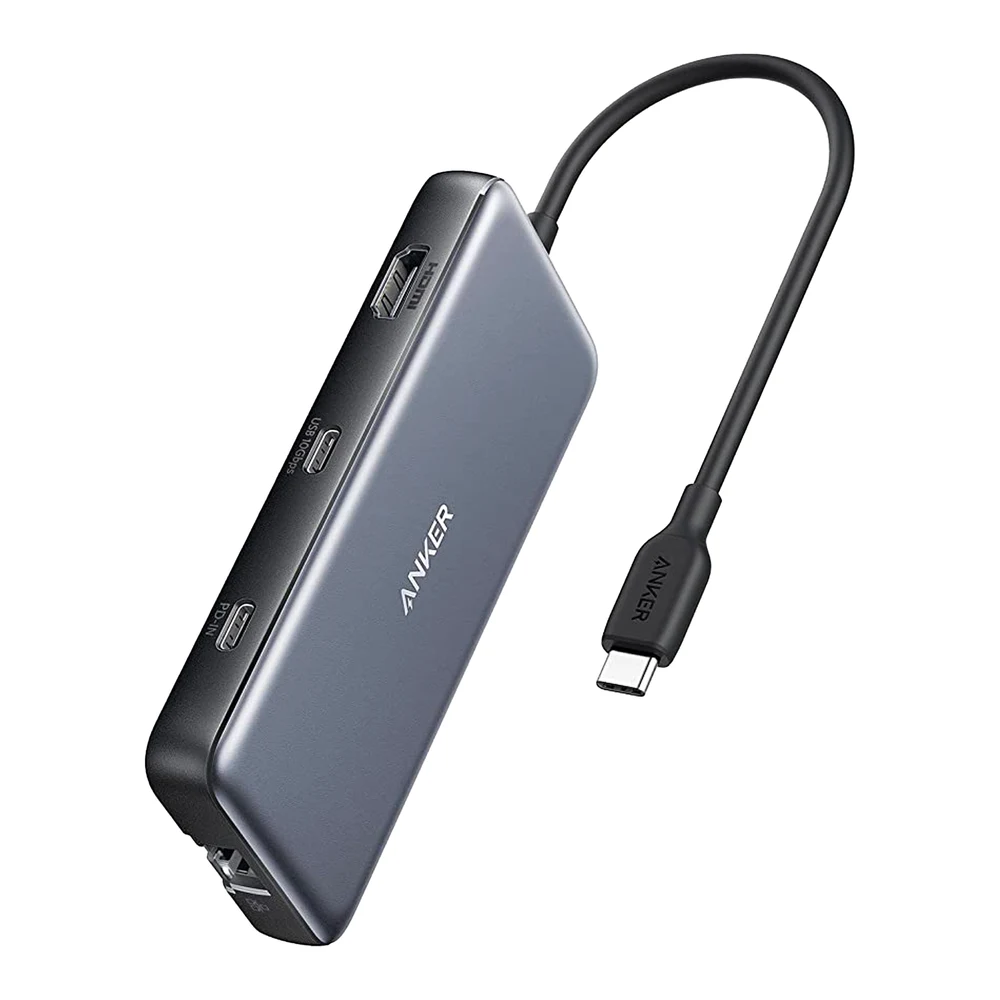
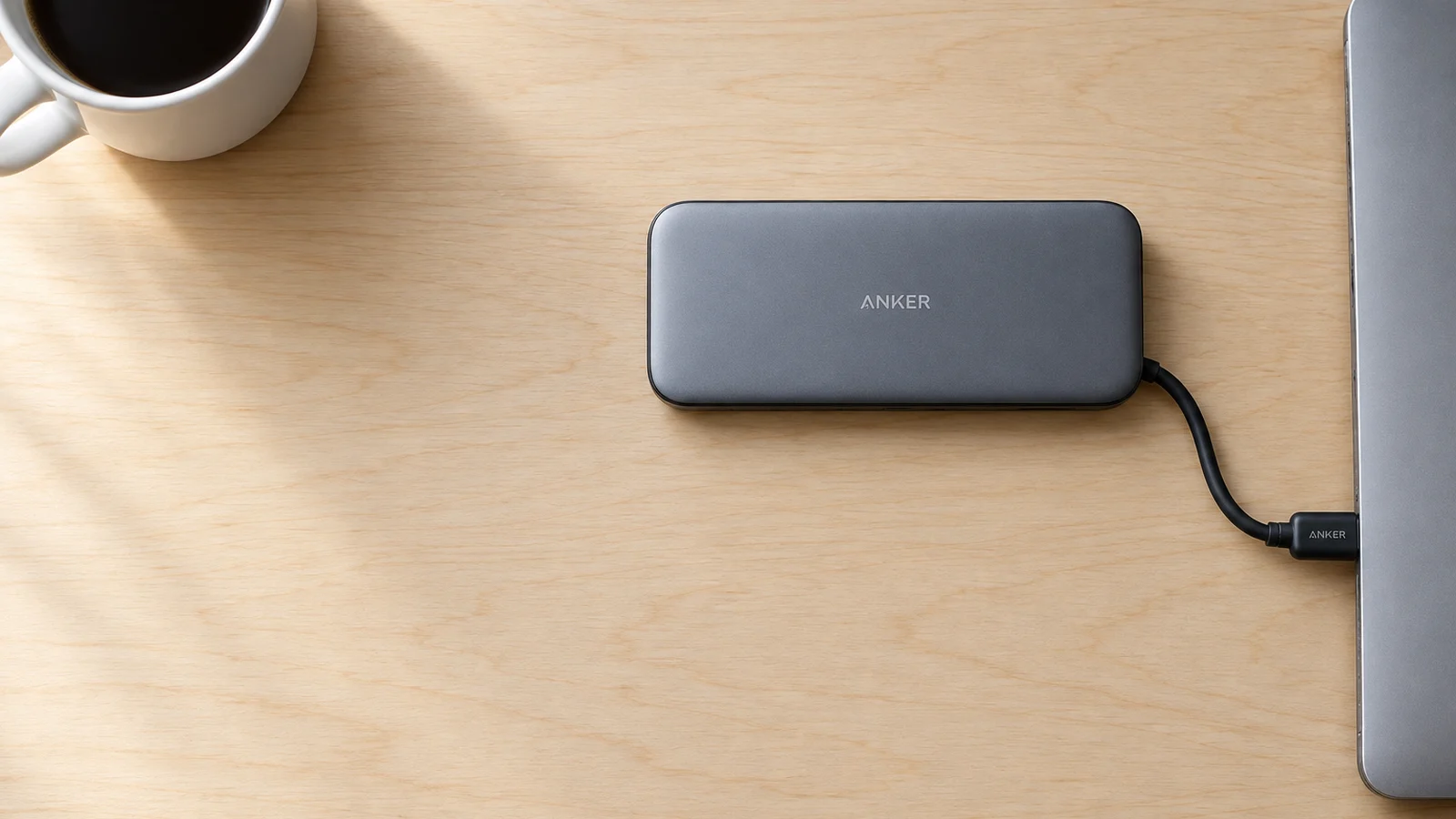
Anker calls it a hub. It is the nearest of the four to the textbook port replicator: one HDMI output that carries the laptop's own video, 10Gbps USB-A and USB-C data ports, Gigabit Ethernet, SD and microSD slots, and charging passed through from your own charger. It's built for a laptop bag rather than a desk.
CalDigit TS4
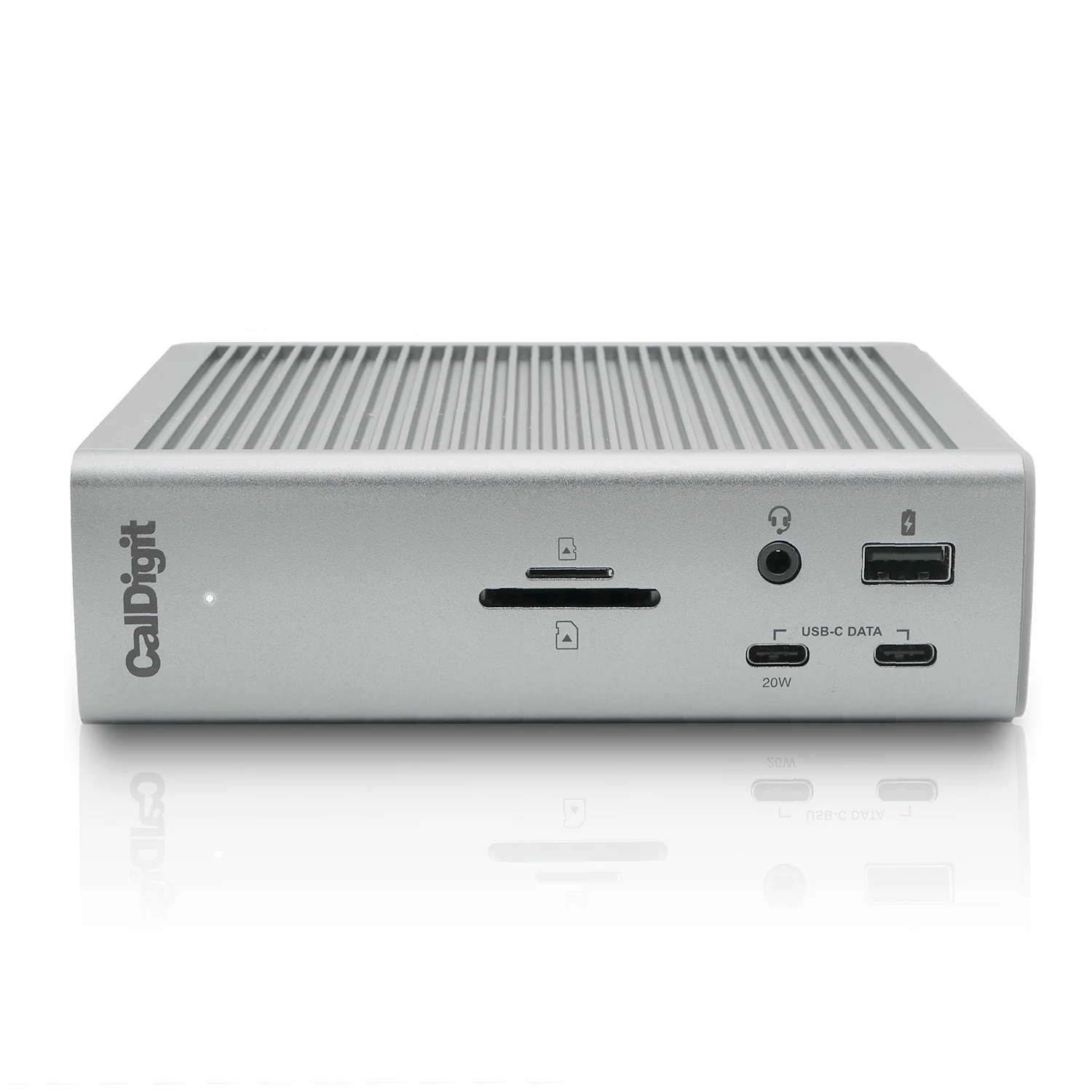
CalDigit calls it the Thunderbolt Station 4 and describes it as a dock. It has 18 ports, including 2.5Gb Ethernet and a DisplayPort 1.4 output, and charges at up to 98W from a 230W adapter. Its screens still run on the laptop's graphics, so a base M1, M2 or M3 Mac gets one external display through it, apart from that M3 MacBook Air exception.
Dell Universal Dock UD22
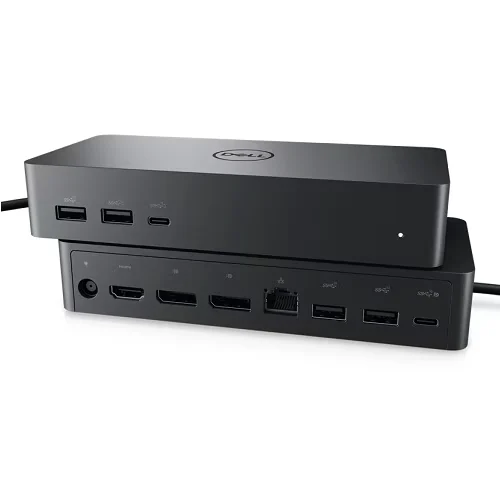
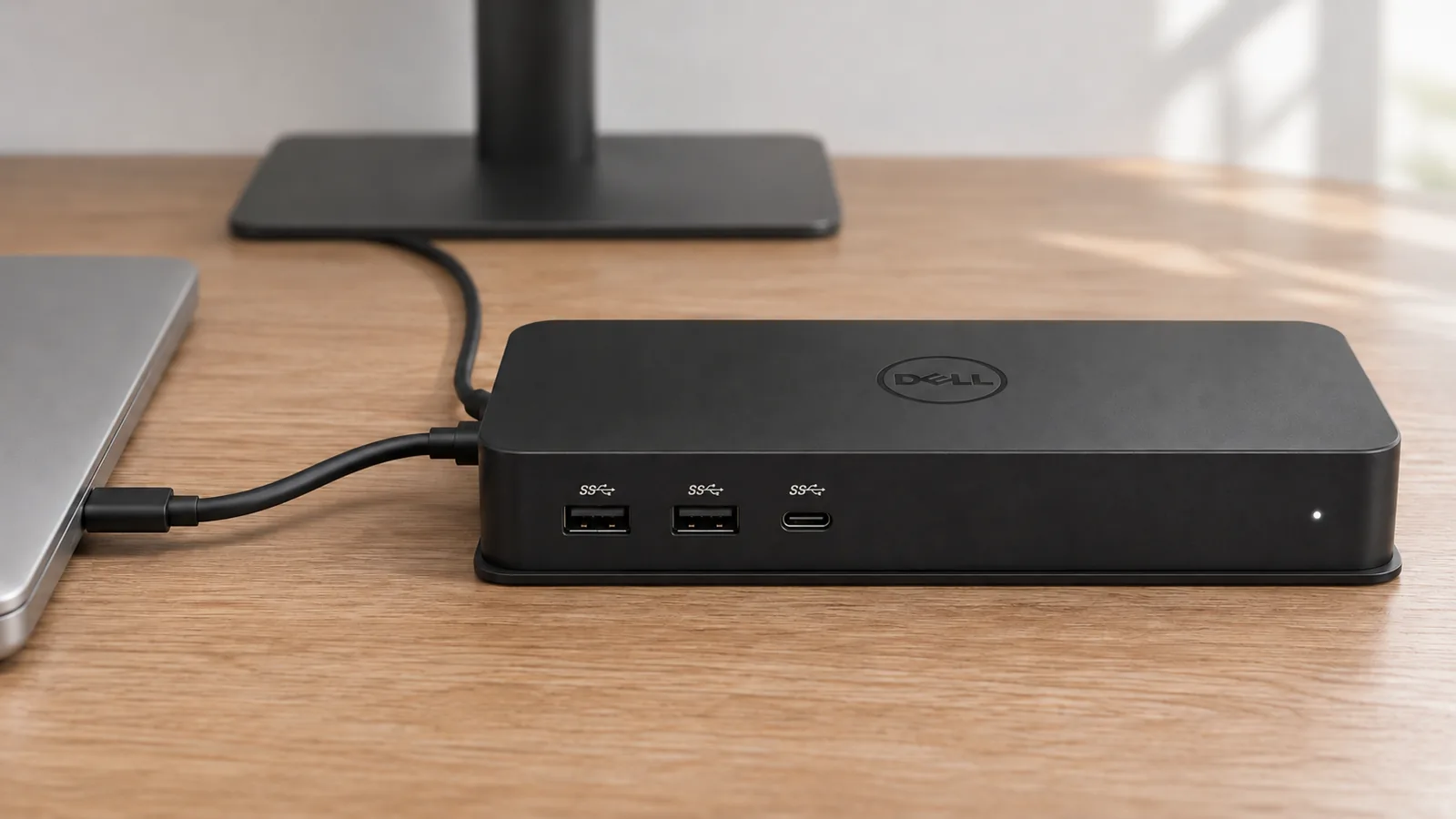
Dell aims the UD22 at offices with laptops from several brands. It has HDMI 2.0, two DisplayPort 1.2 outputs, four USB-A ports and two USB-C ports, one of which carries DisplayPort 1.4 Alt Mode, plus Ethernet and up to 96W of charging from a 130W adapter. Up to four screens need the DisplayLink driver.
Plugable UD-6950PDH
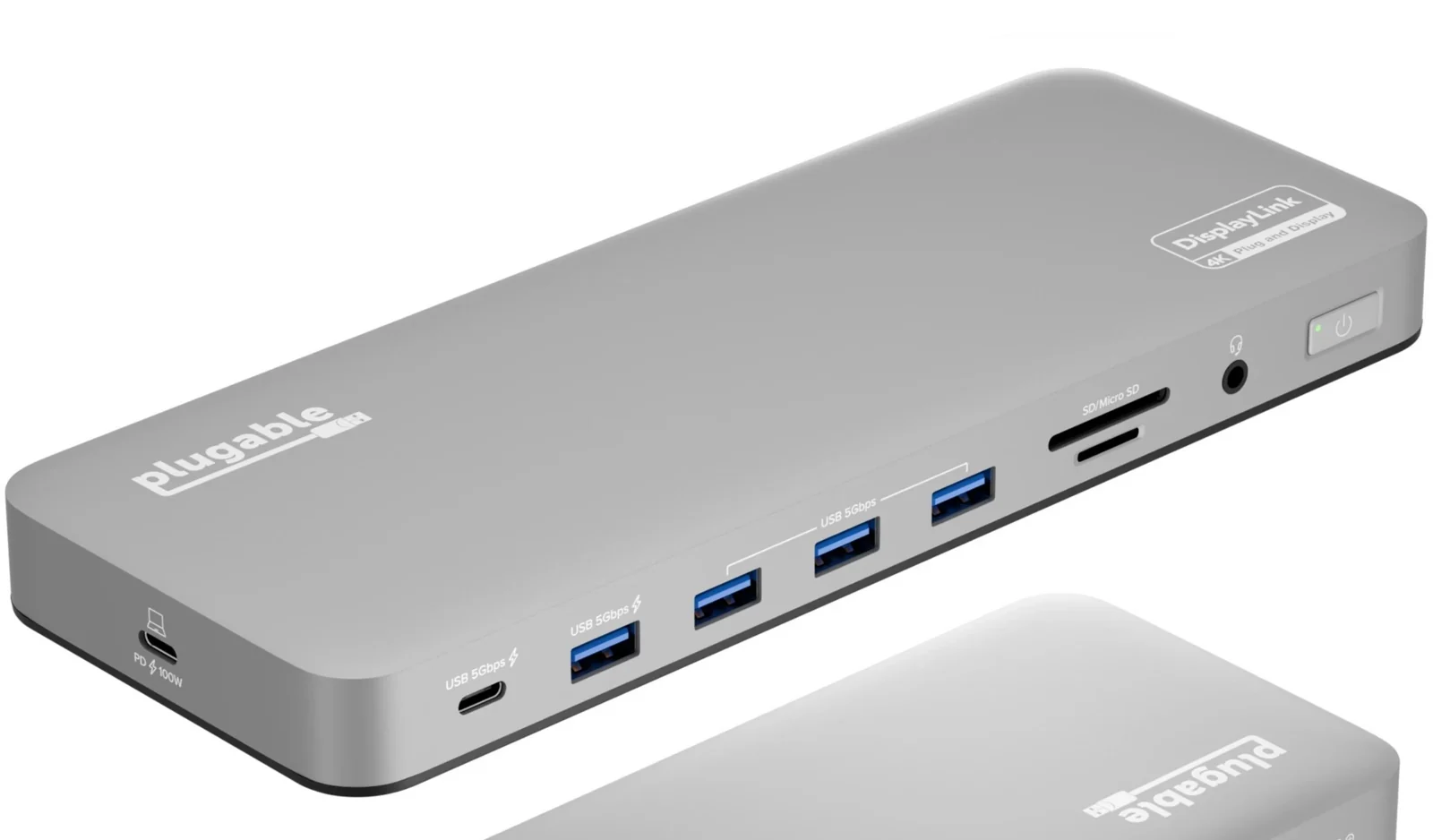
Plugable sells it as a docking station for Macs. Two 4K screens run through DisplayLink on HDMI or DisplayPort, and it charges at 100W and adds SD and microSD readers, Ethernet and a headset jack. The trade-off is software. Plugable says it needs the DisplayLink driver for full function and doesn't support HDCP, so some protected video won't play on those screens.
| Anker 555 | CalDigit TS4 | Dell UD22 | Plugable UD-6950PDH | |
|---|---|---|---|---|
| Maker's name | USB-C Hub | Thunderbolt Station 4 | Universal Dock | USB-C Docking Station |
| Connects by | Attached USB-C cable | Thunderbolt 4, Thunderbolt 3, USB4 or USB-C | USB-C | USB-C, Thunderbolt or USB4 |
| Charges the laptop | Up to 85W, passed through from your charger | Up to 98W | Up to 96W | Up to 100W |
| How screens run | One HDMI, on the laptop's DisplayPort Alt Mode | Up to two, on the laptop's graphics | Up to four with DisplayLink, two without the driver | Two 4K, through DisplayLink |
| Adds screens beyond the laptop's limit | No | No | Yes, with DisplayLink | Yes, with DisplayLink |
Which to buy
If your laptop has a proprietary docking connector and you'll stay with that model line, the maker's mechanical unit is the simplest choice, whatever it's called. CDW's Lenovo manager made the same point about keeping one docking station across upgrades within a model family. For anything else, choose a USB-C or Thunderbolt box by the checks above. Our guides to docking stations for laptops, docks for MacBooks, three or four monitors and USB-C hubs for Mac go further into each case.
Sources
- CompTIA, CompTIA A+ 220-1201 Certification Exam: Exam Objectives
- Professor Messer, Mobile Device Accessories - CompTIA A+ 220-1201 - 1.2
- PCMag, Definition of port replicator and Definition of docking station
- CDW, Docking Stations and Port Replicators: Not as Different as You Think, September 2022
- Notebook-Doktor, Docking Station vs. Port Replicator: The Differences and Advantages, January 2026
- University of Pennsylvania ISC, Port Replicators and Hub Displays Guide
- Wikipedia, Docking station
- Panasonic, TOUGHBOOK 56 mk1 Solution Guide, May 2026
- Fujitsu, Data Sheet: Accessory Port Replicators, Cradle, Keyboard Docking
- Fujitsu, Data Sheet: LIFEBOOK U7412
- Dell Community, Docking station e port plus II with 2 monitors and laptop screen, April 2013
- Dell, Guide to Dell Docking Stations
- Dell Technologies, Dell Universal Dock UD22 product guide
- CalDigit, Thunderbolt Station 4
- Plugable, UD-6950PDH
- Anker, Anker 555 USB-C Hub (8-in-1) and its user guide
All sources were checked on November 3, 2026.